๐Ÿ”ด Your accountant spends 15 hours reconstructing data you already have. 5 reports fix that. May 21 ยท 12 PM ET ยท Free
Save My Seat
Webgility ยท Customer Sessions

Office Hours

Live setup walkthroughs with the Webgility implementation team. Every session tackles one configuration topic, shows you exactly how to set it up, and gives you time to ask questions about your own account. Free for all customers.

Biweekly on Wednesdays
12:00 PM ET ยท 45 min
Customers only ยท Free
QuickBooks
Order Settings
โœ“
Sales Receipt
Grouped
โ—†
Class tracking
By channel
โ†ณ
Undeposited Funds
On
Setup configured Ready for month-end โ†’
What we'll cover this session
Desktop
Online

Order Management Best Practices: Setup & Accounting for Webgility Desktop

The order settings you choose on day one determine how clean your books are on day thirty. Most merchants configure Webgility once and never revisit it โ€” which means every new channel, every new fee type, and every refund edge case compounds into a reconciliation problem that gets worse over time.

This session walks through the five core order management decisions that matter most: which order type to use and when, how to group or split orders for your accountant, how to classify revenue with QuickBooks classes, whether to use Undeposited Funds or a clearing account, and when to use a standard customer record vs. individual customer names. We'll configure each one live so you can follow along in your own account.

Sales Receipt vs. Invoice vs. Sales OrderSingle vs. grouped ordersRevenue classification with ClassesUndeposited Funds vs. Clearing AccountStandard vs. individual customers
Come prepared
๐Ÿ’ป
Webgility open

Log into your Webgility account so you can follow along and configure settings in real time.

๐Ÿ“’
QuickBooks open

Have your QuickBooks file ready โ€” Desktop or Online. We'll reference it throughout the session.

โ“
Bring your questions

The implementation team is live on the call. Anything that can't be answered live, our team will follow up one-on-one.

Next session
May 20, 2026
Wednesday ยท 12:00 PM ET ยท 45 min

You're registered!

Check your inbox for the Zoom link and calendar invite. Can't make it live? We'll send the recording and all session materials.

Free for all Webgility customers ยท Zoom link sent instantly
Bring your questions โ€” implementation team is on the call
Your hosts this session
Host
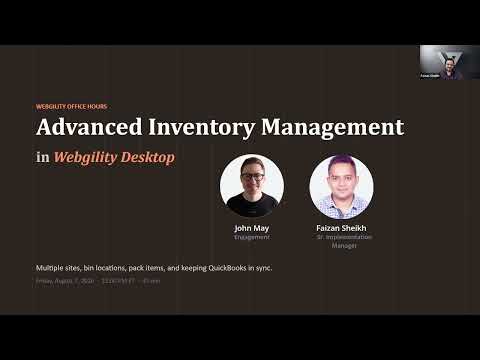
John May Customer Marketing & Engagement, Webgility

Runs Office Hours and The Ecom Clinic every week. Focused on helping multichannel sellers close their books faster and get more from their Webgility setup.

Host
Arun Panchal Implementation Manager, Webgility

Configures Webgility accounts for new customers every day. Knows every setting, every edge case, and every shortcut โ€” and walks you through each one live.

What to expect

45 minutes with the implementation team.
You leave with it configured.

Every session follows the same structure: understand the decision, watch it configured live, then get your own questions answered.

Who should be there
๐Ÿš€

New customers in setup

Still onboarding or just finished. These sessions make sure you start with the right configuration โ€” no cleanup later.

๐Ÿ”ง

Existing customers who need a tune-up

Added channels, changed accountants, or hit reconciliation issues you can't explain. Time to audit your settings against current best practices.

๐Ÿ“‹

QB Desktop or QB Online โ€” we cover both

Dedicated sessions for each platform so the walkthrough matches exactly what you see on screen.

๐Ÿงฎ

Your accountant or bookkeeper

They inherit whatever you configure. Invite them โ€” they'll see exactly how data lands in QuickBooks and can flag issues before month-end.

How the session runs
1
15 minutes

The why

Why this setting matters, what goes wrong when it's misconfigured, and how it shows up in your month-end close. Real examples from real accounts.

2
20 minutes

Live configuration

The implementation team walks through every step on screen. Follow along in your own Webgility account and QuickBooks file.

3
10 minutes

Q&A + troubleshoot

Bring your edge cases. The implementation team answers live and helps you troubleshoot anything specific to your setup.

Every registrant gets the full recording and slide deck โ€” even if you can't make it live.

Up next

Upcoming sessions

June 3 ยท 12 PM ET ยท 45 min

The Perfect QuickBooks Desktop Setup for New Ecommerce Merchants

Starting fresh or need to reset? We'll build a complete QB Desktop file from scratch โ€” inventory items, customer records, chart of accounts, classes โ€” optimized for multichannel ecommerce sales flowing through Webgility. Follow along in your own file.

Setup ยท QB Desktop
June 17 ยท 12 PM ET ยท 45 min

The Perfect QuickBooks Online Setup for New Ecommerce Merchants

The QBO version of our complete setup walkthrough. Same goal, different interface. We'll configure your chart of accounts, products and services, customer defaults, and automation rules so ecommerce transactions land clean from day one.

Setup ยท QB Online
Office Hours by Webgility

Get it set up right. Keep it running clean.

Biweekly live sessions with the implementation team. Free for all Webgility customers.

Save my spot โ†’
Free for customers Implementation team on every call Recording sent to all registrants
Shopify QuickBooks Integration Guide
shopify-ebook-sticky-closed-img-v2