.png?width=96&name=image%20(1).png)
-2.webp?width=1520&name=1%20(2)-2.webp)
Selling on eBay comes with tax obligations that catch many sellers off guard.
Miss a filing deadline or overlook a deduction, and you could face penalties or leave money on the table. The 2026 tax year brings updated thresholds and reporting requirements that every eBay seller needs to understand.
In this guide, you will learn how eBay tax reporting works, which deductions you can claim, the current 1099-K thresholds, and how to file accurately.
How the 2026 tax changes impact your eBay profits
The IRS is tightening eBay tax reporting rules in 2026, making accurate reporting essential for every seller. With lower reporting thresholds and stricter enforcement, more sellers will be on the IRS’s radar.
Many eBay sellers believe one of these common misconceptions:
- “I do not owe taxes if I do not get a 1099-K”
- “Only businesses need to report eBay sales”
- “I can deduct every expense I incur”
In reality, the IRS requires you to report all income from eBay sales, regardless of whether you receive a 1099-K. Missing $1,000 in deductions costs you $150 or more in taxes at a 15% rate.
If you miss that amount every year for five years, you have overpaid $750; money that could have grown your business.
The 2026 1099-K threshold: What every eBay seller needs to know
The federal 1099-K reporting threshold is now $20,000 in gross payments and more than 200 transactions. This applies to tax year 2025 and beyond.
If you sell on eBay and cross both thresholds in a calendar year, eBay will send you a Form 1099-K by January 31 of the following year. The form reports your gross payment volume, not your taxable income, and helps you file your return accurately.
How the threshold changed
The One Big Beautiful Bill Act, signed into law on July 4, 2025, repeals the $600 threshold set by the American Rescue Plan Act of 2021, returning the Form 1099-K reporting threshold to $20,000 and 200 transactions.
This change is retroactive, meaning the lower thresholds that were planned for 2025 ($2,500) and 2026 ($600) no longer apply.
Third party settlement organizations are not required to file Forms 1099-K unless the gross amount of reportable payment transactions to a payee exceeds $20,000 and the number of transactions exceeds 200.
What the threshold means in practice
You must meet both conditions to trigger a 1099-K from eBay:
- Gross payments exceed $20,000 in a calendar year
- You complete more than 200 transactions
If you earn $25,000 but only complete 150 transactions, eBay will not issue a 1099-K at the federal level. If you complete 300 transactions but only earn $15,000, the same applies.
However, your state may have a lower reporting threshold for TPSOs, which could result in you receiving a Form 1099-K, even if the total gross payments and transactions did not exceed the federal reporting threshold.
What does this mean for you? Even if you are a casual seller, you must prepare for IRS eBay tax reporting as enforcement increases.
Now, let us look at how to minimize what you owe.
Suggested read: Marketplace Fees: Amazon, eBay, Etsy & Walmart Seller Costs Compared
The most overlooked eBay seller tax deductions (and how to claim them)
From shipping to eBay fees, every cost tied to your sales can lower your tax bill. These eBay expenses directly reduce your taxable income, cutting your bill dollar-for-dollar.
Major deductible expenses for eBay sellers:
- eBay selling fees: Listing fees, final value fees, store subscriptions
- Payment processing fees: PayPal, managed payments charges
- Shipping and packaging: Boxes, tape, labels, carrier costs
- Cost of goods sold (COGS): Original purchase price of resold inventory
- Business supplies: Storage racks, scales, label printers
- Advertising costs: Promoted listings, Google ads, social media
- Home office expenses: Portion of rent, utilities, internet if you use a dedicated space for your business
For example, on a $100 sale, you might pay a $10 eBay fee, $3 payment processing fee, and $8 shipping. You can deduct all three.
Seller A tracked every expense and saved $400 in taxes; Seller B missed $1,000 in deductions and paid $150 more. Documentation is required to claim these deductions, so keep digital receipts and organized records.
Tracking every fee and expense by order is easier with accounting software that integrates with eBay.
Which deductions you can claim depends on whether you are a hobbyist or business seller.
Hobbyist or Business? How your seller status shapes your eBay tax reporting approach
The IRS uses a “profit motive” test to decide if you are a business or hobbyist. Your status determines which deductions you can claim and how you report your income.
If you show a profit in three out of five years, the IRS usually considers you a business. Businesses can deduct all ordinary and necessary expenses, even if it creates a loss. Hobbyists can only deduct expenses up to their income from the activity; no losses allowed.
Hobbyists report income on Schedule 1; businesses use Schedule C. Choosing the correct status ensures you claim every deduction you are entitled to.
No matter your status, organized records are the key to maximizing deductions.
Suggested read: eBay Accounting Guide: Simplify Taxes & Bookkeeping
Build your deduction-maximizing tracking system
Accurate, organized records are your best defense against overpaying taxes. Tracking every expense ensures you claim every deduction and stay audit-ready.
What to track:
- eBay fees
- Payment processing fees
- Cost of goods sold (COGS)
- Shipping costs
- Returns and refunds
- Business supplies
- Advertising and promotional expenses
- Home office expenses
Download eBay CSV exports monthly, or use accounting software to auto-categorize expenses. Spreadsheets work for low volume, but as your business grows, automation saves time and reduces errors.
As order volume grows, tools that sync eBay data directly to QuickBooks, like Webgility, eliminate manual entry and reduce errors.
Once your records are organized, eBay tax reporting becomes much simpler.
Suggested read: eBay Sales Tax Guide: What Every Seller Needs to Know
Step-by-step: Reporting eBay sales, deductions, and self-employment tax
You will report eBay income and deductions on Schedule C, and pay self-employment tax if net earnings exceed $400. Filing is manageable if you follow these steps:
- Gather all records: sales, expenses, receipts, and 1099-K forms.
- Fill out Schedule C, report gross income, and list all deductions.
- Calculate self-employment tax (15.3%) using Schedule SE.
- Deduct half of your self-employment tax on your Form 1040.
- Make quarterly estimated payments using Form 1040-ES.
Automated accounting tools can help calculate net profit and estimate taxes owed as you go.
Staying audit-ready means keeping your records organized year-round.
Suggested read: QuickBooks Tax Preparation for Multi-Channel Ecommerce
Pro tips for audit-ready eBay tax records
Matching your reported income to your 1099-K and keeping digital records is the best way to avoid IRS issues. Consistent habits and the right tools make audit preparation nearly effortless.
Apply these best practices:
- Save copies of 1099-K and eBay reports
- Archive receipts for COGS and expenses
- Maintain a monthly profit and loss statement (spreadsheet or software)
- Export eBay transactions quarterly
- Use digital folders or cloud storage for all records
Accounting software that integrates with eBay and QuickBooks can sync every fee, sale, and refund automatically, creating a complete audit trail.
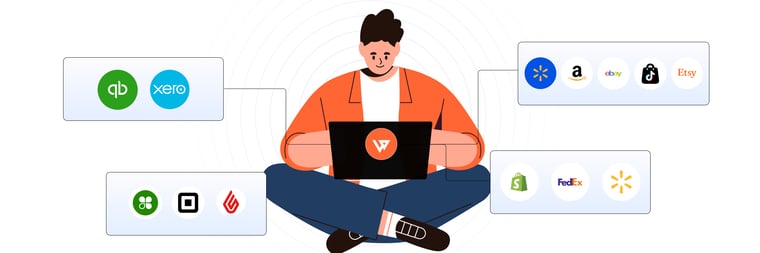
Webgility connects your online sales channels (like Shopify, Amazon, BigCommerce) with accounting software such as QuickBooks or Xero, automatically syncing orders, fees, inventory, and financial data to reduce manual work and improve accuracy.
For example, the consultancy Danwidth used Webgility to automate bookkeeping for its ecommerce clients.
This saved them an average of 38+ hours monthly by syncing multichannel sales data and uncovering hidden costs like marketplace fees, giving sellers clearer insights into true profitability.
Schedule a demo with Webgility today.
Frequently asked questions (FAQs)
What if I sell only used items on eBay?
If you sell used items for more than you paid, you must report the profit as income. If you sell at a loss, you generally do not owe tax, but keep records for proof.
Do I need to report eBay income if I do not get a 1099-K?
Yes, you are required to report all eBay income to the IRS, even if you do not receive a 1099-K.
Can I deduct eBay seller fees and shipping costs?
Yes, eBay fees, payment processing fees, and shipping costs are fully deductible business expenses if you are classified as a business seller.
How can I simplify tracking eBay expenses across multiple platforms?
Automation tools can sync sales and expenses from eBay and other platforms, helping you avoid missed deductions and saving time.
.png?width=128&name=image%20(1).png)
-3-2.webp?width=760&name=2%20(1)-3-2.webp)