.png?width=96&name=image%20(1).png)
You added a second warehouse. Then a retail store. Now Shopify shows inventory at three locations, but orders ship from the wrong one, stockouts happen at busy locations while dead stock sits elsewhere, and your team spends hours manually rebalancing inventory between sites.
Shopify multi-location inventory tracking sounds simple until you actually use it across warehouses, stores, and fulfillment centers. Most merchants discover problems only after customers complain about delayed shipments or cancelled orders.
In this guide, you will learn five real multi-location inventory problems Shopify sellers face daily, why they happen, and exactly how to solve each one.
What is Shopify multi-location inventory (and why it matters)
Shopify multi-location inventory lets you track and manage stock across multiple physical locations, such as warehouses, retail stores, or third-party fulfillment partners. Instead of a single inventory pool, you control where each SKU lives and how orders are routed.
Done right, Shopify multi-location inventory enables:
- Faster shipping by routing orders to the closest warehouse
- Lower fulfillment costs through optimized location selection
- Broader reach and improved customer satisfaction from accurate stock and delivery times
- Reduced overselling by tracking real inventory at each site
But as you scale beyond two or three locations, complexity increases.
Manual syncing creates lag, bundle tracking breaks down, and transfer errors multiply. Leading merchants use real-time inventory sync tools to keep every location accurate as they grow.
5 inventory problems that cost merchants thousands
Most merchants run into five predictable inventory problems as they scale Shopify inventory locations. Each can quietly erode profit and customer trust.
1. Overselling at the wrong location
A retailer sets fulfillment priorities, but inventory has not synced yet. Shopify routes an order to the lowest-cost warehouse, which is actually out of stock. The customer waits for an expedited shipment from another location, tripling shipping costs.
2. Inventory sync delays
Suppose two customers buy the same SKU: one from your website and one from Amazon, within 30 minutes. Because Shopify syncs inventory on a schedule, both orders pull from the same stock.
One order oversells, and one customer receives a cancellation email days later.
3. Split shipments
An order contains a shirt stocked in California and a hat in New Jersey. Without consolidation logic, Shopify ships both separately. The customer receives two packages over five days, and your shipping costs spike.
4. Bundle and component depletion
You sell a "Starter Kit" with three components, but Shopify tracks it as one SKU. When chargers run out, customers can still order bundles. Your team ships incomplete kits or delays orders for restocking.
5. Manual transfer errors
Boston is overstocked while Los Angeles runs low. You create a manual transfer for 50 units, but the records appear in one system but not the other. Weeks later, accounting shows 30 units missing, and six hours of reconciliation reveal the transfer was never fully logged.
The five most common Shopify multi-location inventory challenges
Most inventory headaches can be solved with Shopify’s built-in features until complexity or scale exposes their limits. Here is how to address each challenge, and where inventory management automation platforms fill the gap.
Challenge 1: Overselling at the wrong location
Shopify’s solution: Set fulfillment priorities to rank locations. Orders check the top location for available stock before moving down the list.
How to implement:
- Go to Settings > Locations in Shopify admin
- Drag locations into your preferred fulfillment order
- Save and test with a live order
Can Shopify handle this?
Yes, for simple setups with static priorities.
Where it breaks: Shopify cannot route dynamically based on shipping cost or speed, only availability. If your most-stocked warehouse is far from the customer, orders still ship from there if it is first in your list.
For dynamic routing by cost, speed, or customer location, automation platforms like Webgility can automate this process.
Challenge 2: Inventory sync delays
Shopify’s solution: Shopify updates inventory automatically when orders are placed in your store. For single-channel operations, this works well.
How to implement:
- Enable inventory tracking for all products
- Set low-stock Shopify inventory alerts to catch issues early
Can Shopify handle this?
Mostly, but not in real time, especially across multiple channels.
Where it breaks: Shopify relies on scheduled syncs, not instant updates. During high-volume periods or when selling on Amazon, eBay, or other channels, inventory can fall out of sync, causing overselling. Webgility syncs inventory in real time across all channels, eliminating this risk.
Suggested read: How to Sync Inventory Between Two Shopify Stores – Manual vs. Automated
Challenge 3: Split shipments
Shopify’s solution: Use smart order routing to configure rules for fulfillment decisions. Shopify can minimize split shipments by prioritizing locations that have most or all items in a single location.
How to implement:
- Set up order routing rules in Shopify admin
- Use the “minimize split fulfillment” option
Can Shopify handle this?
Yes, with careful setup.
Where it breaks: Shopify cannot factor in shipping cost, profit margin, or customer tier when routing orders. For advanced logic, like consolidating shipments by margin or customer type, automation platforms provide more control.
Suggested read: Shopify WMS Integration: A Stage-by-Stage Playbook for Growing Merchants
Challenge 4: Bundle and component depletion
Shopify’s solution: Shopify’s native bundles feature lets you group products, but tracks only the bundle SKU, not the individual components.
How to implement:
- Create bundles using Shopify’s Bundles app
- Manually monitor component inventory
Can Shopify handle this?
Partially. Bundle tracking is limited to the bundle SKU.
Where it breaks: Shopify does not automatically deduct components from inventory when a bundle sells. For component-level tracking and prevention of overselling bundles, Webgility tracks each part and stops sales when any component runs out.
Suggested read: Guide to Multisite Inventory Management for Growing Sellers
Challenge 5: Manual transfer errors
Shopify’s solution: Create manual inventory transfers between locations in the Shopify admin console.
How to implement:
- Go to Inventory > Transfers
- Specify source, destination, and quantity
Can Shopify handle this?
Yes, but manual processes are error-prone at scale.
Where it breaks: Manual transfers do not sync automatically with accounting systems, and errors multiply as volume grows. Automation platforms create transfer workflows with audit trails and sync to accounting, reducing reconciliation time.
Suggested read: Top Shopify Accounting Integrations for Growth and Scale
Self-assessment: Rate your Shopify multi-location inventory risk level
Use this five-question checklist to diagnose whether your current setup is sustainable for Shopify multi-location inventory or approaching a tipping point.
|
Question |
Yes / No |
|
Do you spend 5+ hours per week manually syncing inventory across channels or locations? |
|
|
Have you experienced overselling incidents in the past three months that resulted in cancelled orders or expedited reshipping? |
|
|
Do you sell bundles or kits and struggle with component-level inventory tracking? |
|
|
Are you selling on three or more channels (Shopify, Amazon, eBay, etc.) and managing inventory manually? |
|
|
Have you found discrepancies of 5% or more between Shopify inventory and physical counts in the past quarter? |
Table 2: Shopify multi-location inventory self-assessment
Scoring:
- 0-1: Shopify native is likely sufficient for your current complexity
- 2-3: You are approaching a tipping point; start researching tools before inefficiencies become costly
- 4-5: Automation is urgent. Manual processes are actively costing you time, money, and customer satisfaction
If your score is 2 or higher, see below for a feature comparison.
Native vs. automated Shopify multi-location inventory: Feature comparison
As complexity grows, automation platforms deliver time and cost savings that native Shopify cannot match.
|
Capability |
Shopify Native |
Automation Platform (Webgility) |
|
Inventory sync speed |
5-15 minute batch updates |
Real-time, sub-minute |
|
Multi-channel sync |
Shopify only |
Shopify, Amazon, eBay, Etsy, Walmart, POS systems |
|
Component/bundle tracking |
Bundle SKU only |
SKU-level and component-level tracking |
|
Oversell prevention |
Basic holds |
SKU-level holds across all channels |
|
Order routing logic |
Priority-based only |
Priority, proximity, cost, margin, customer tier |
|
Error recovery |
Manual intervention |
Automated reconciliation with audit trails |
|
Transfer tracking |
Manual entries |
Automated with accounting sync |
|
Split shipment control |
Limited |
Advanced rules by margin, product type, and customer |
|
Reporting |
Basic sales and inventory |
Profitability by SKU, channel, location |
|
Setup time |
Minutes to hours |
1-2 weeks with onboarding support |
Table 3: Native vs. automated Shopify multi-location inventory
30-day implementation roadmap
A step-by-step, week-by-week checklist ensures you address the most common risks and set up for scale.
Week 1: Immediate actions
- Set fulfillment priorities in Shopify
- Enable inventory tracking for all products
- Place a test order and verify correct routing
- Set up low-stock alerts
Suggested read: Tips for Mastering Product Bundle Inventory Management
Weeks 2-4: Foundation building
- Establish weekly inventory audits (spot-check top SKUs for accuracy)
- Document transfer procedures (use a checklist for each transfer)
- Train staff on fulfillment rules and inventory processes
Growth-stage (after 30 days)
- If your diagnostic score is 3 or higher, begin evaluating automation tools
- Compare platforms using the earlier table
- Request demos and references
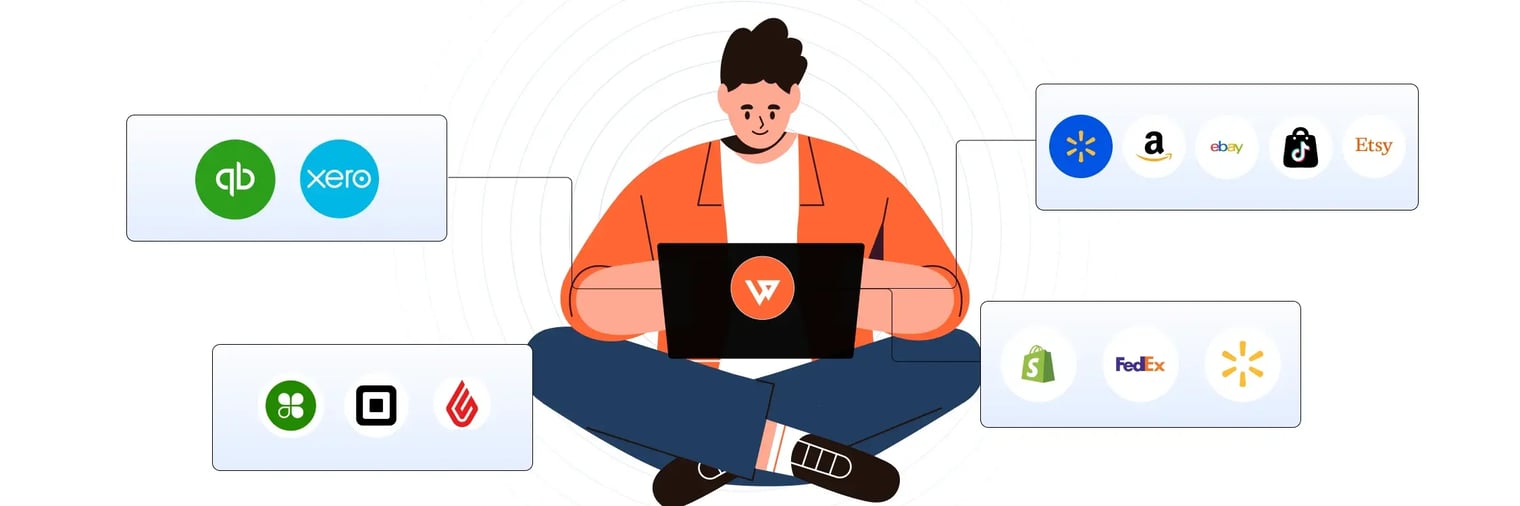
Webgility syncs inventory across Shopify locations, Amazon, eBay, POS systems, and QuickBooks in real time.
The platform eliminates manual location management by automatically updating stock levels at each warehouse, store, or fulfillment center after every sale, return, or transfer.
Multi-location businesses gain unified visibility across all sites without switching between systems or exporting reports.
JVR Industries, selling across WooCommerce and eBay, eliminated inventory inaccuracies that required constant manual checks.
After implementing Webgility, they reduced order processing time from 10 minutes to 2 minutes per order and tripled sales by freeing staff to focus on growth.
Webgility Case Study - JVR Industries
Schedule a demo with Webgility today.
Frequently asked questions (FAQs)
How do I know if my Shopify inventory setup is too complex for manual management?
If you spend over five hours weekly on manual syncing, experience frequent overselling, or manage inventory across three or more channels, it is time to consider automation.
Can Shopify handle inventory sync across Amazon, eBay, and other channels?
Shopify’s native tools sync inventory within Shopify only. For real-time, multi-channel syncing, including Amazon and eBay, you will need an automation platform.
What is the biggest risk of not automating multi-location inventory?
The biggest risk is overselling, leading to canceled orders, extra shipping costs, and unhappy customers. Manual errors also increase as you scale.
Does Shopify support bundle and component-level tracking?
Shopify tracks bundles as a single SKU, not individual components. For component-level tracking, an automation platform like Webgility is required.
.png?width=128&name=image%20(1).png)