.png?width=96&name=image%20(1).png)
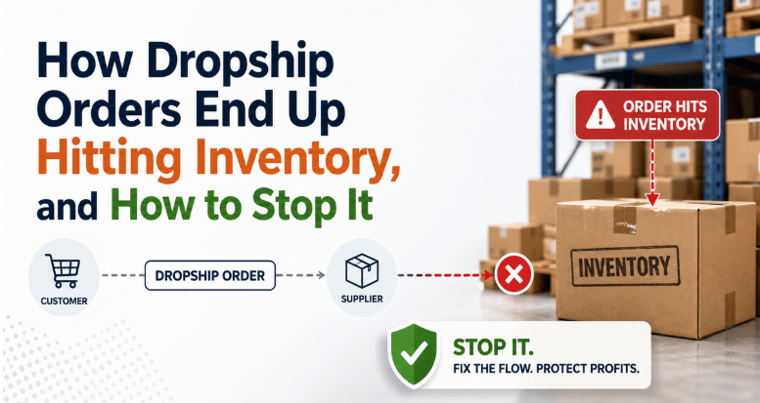
You sold 50 units yesterday. Your supplier ran out of stock three days ago. Now you face angry customers, refund requests, and negative reviews that tank your conversion rate.
Dropshipping inventory management breaks when supplier data updates slowly or does not sync at all. You cannot see what your supplier actually has, so you either oversell and lose customers or understate inventory and miss sales.
The right dropshipping inventory management solution prevents both problems automatically. This guide shows you how to evaluate solutions, avoid costly mistakes, and choose a system that keeps your store accurate without constant manual updates.
The hidden complexity of dropshipping inventory (and its real cost)
Dropshipping inventory management is a different beast. What works for traditional retail can quietly drain profits in dropshipping. The fundamental difference is that you do not control your inventory; your suppliers do. This single fact changes everything about how you manage stock levels, prevent overselling, and maintain customer trust.
Traditional retail vs. dropshipping: A critical comparison
|
Aspect |
Traditional retail |
Dropshipping |
|
Stock control |
You own and manage it |
Supplier owns and manages it |
|
Data latency |
Real-time in your system |
Delayed, depends on supplier updates |
|
Inventory visibility |
Complete, immediate |
Limited to what suppliers share |
|
Returns process |
Direct control |
Third-party dependent |
|
Cost of errors |
Holding costs |
Lost sales, refunds, reputation risk |
|
Update frequency |
Instant |
Often manual or delayed |
Table 1: Dropshipping vs. traditional retail
In traditional retail, you know exactly what is in your warehouse and can update your systems immediately after a sale. In dropshipping, you depend on supplier data that may be hours or days behind.
This lag creates invisible gaps where orders slip through, inventory counts become inaccurate, and your financial records drift out of sync with what customers have actually purchased.
Real-time inventory accuracy is critical. For example, a mid-sized dropshipper managing 50 SKUs across Amazon and Shopify lost $2,000 per month to overselling because they relied on weekly manual inventory syncs. Their store showed products as available when the supplier had already sold out.
Each cancelled order led to lost payment processing fees, negative reviews, and suppressed marketplace rankings. Over a year, these preventable errors added up to $8,000 to $15,000 in lost profit and growth opportunities.
The ripple effects extend beyond immediate losses. Inventory discrepancies corrupt ecommerce accounting, skew margin reports, and lead to poor restocking decisions. A single automation tool that prevents these errors can save thousands annually and restore customer trust.
Understanding these differences is the first step to avoiding costly mistakes. Let us break down the most common and expensive pitfalls dropshippers face.
The costly pitfalls of dropshipping inventory management
Dropshipping inventory mistakes are expensive and more common than you think. Even experienced sellers lose thousands in revenue and countless hours to preventable errors.
Here are the most damaging pitfalls.
Overselling from stale inventory data
Your store shows 100 units available, but your supplier has zero. You sell 30 units before discovering the problem, leading to 30 refunds and angry customers. Amazon suspends sellers for repeated stockouts. Shopify customers leave one-star reviews that destroy conversion rates for months.
The cost goes beyond immediate refunds: damaged reputation, higher customer acquisition costs to overcome negative reviews, and platform penalties that limit selling privileges.
Suggested read: Better Ecommerce Inventory Management
Poor supplier communication creating fulfillment chaos
Your supplier changed their SKU system without warning. Orders fail to process, customers receive wrong products, and you spend hours troubleshooting.
Each miscommunication costs refund fees, expedited shipping to fix mistakes, and customer service hours. Suppliers without real-time order updates leave you guessing about fulfillment timelines.
You cannot give accurate delivery estimates, leading to support tickets, chargebacks, and refunds that eat into thin dropshipping margins.
Untracked returns destroying inventory accuracy
A customer returns a defective product to your supplier. Your supplier restocks it without notifying you, and your inventory count stays wrong.
You oversell because your system does not register the return, or you lose sales because returns never update available stock.
Returns without tracking create a feedback loop of inaccuracy. Your inventory data drifts further from reality with every cycle, forcing manual stock verification that defeats the efficiency advantage of dropshipping.
The compound effect of these pitfalls
These failures compound systematically. Each error triggers cascading costs:
- Manual fixes consume 40 to 60 hours monthly
- Error rates increase as your business grows
- Team morale suffers from constant firefighting
- Strategic initiatives stall
How can you avoid these traps? Start by assessing your true needs.
Self-assessment: What does your dropshipping business really need?
Not every dropshipper needs the same level of inventory management automation. Here is how to find your fit.
A simple, honest self-assessment reveals whether you need basic, mid-tier, or advanced automation, saving you from over- or under-buying. Use this five-question rubric to clarify your requirements.
Your 5-minute scoring rubric
Rate yourself 1-5 on each dimension (1 = lowest complexity, 5 = highest):
- Order volume per month: 1 = 0–100 orders, 5 = 5,000+ orders
- Number of suppliers or fulfillment centers: 1 = 1 supplier, 5 = 5+ suppliers with complex routing
- Number of sales channels: 1 = 1 channel, 5 = 5+ channels (marketplaces, ecommerce, POS systems)
- How critical is real-time accuracy? 1 = negligible impact, 5 = severe impact (account suspension risk)
- Technical comfort level: 1 = prefer plug-and-play, 5 = can handle custom integrations and APIs
Add your five scores together:
5-10
Basic tools may suffice. You operate a simple, single-channel business with low order volume and one or two trusted suppliers. A basic inventory sync tool or a well-designed spreadsheet system with manual oversight might be enough. Manual accounting systems do not scale, so plan for an upgrade as you grow.
11-17
Mid-tier automation is necessary.
You sell across multiple channels or work with several suppliers. You need a tool that can sync inventory in real time, handle multiple integrations, and automate most manual tasks. Mid-tier solutions typically cost $100 to $300 per month and cover most needs without overwhelming complexity.
18-25
Advanced platform needed. You are scaling rapidly, selling across many channels, or managing complex supplier relationships. You need a sophisticated platform that integrates all your channels, syncs inventory in real time, automates returns, and provides deep analytics.
Advanced solutions typically cost $300+ per month but save far more in operational costs.
Be realistic: overestimating or underestimating your needs leads to wasted time and money. Many dropshippers score in the 11-17 range, where mid-tier automation is the best fit. Now, let us see how to use your score to evaluate dropshipping inventory management solutions.
Decision framework: How to evaluate dropshipping inventory management solutions
Use this framework to compare solutions apples-to-apples and avoid surprises post-purchase.
A structured evaluation matrix turns tool selection from guesswork into a repeatable, confident process. For each solution, rate it 1-5 on each criterion, with 5 being fully meets your needs. Multiply each rating by a weight based on importance to your business.
|
Feature or capability |
Why it matters |
Example vendor question |
Weight (1-5) |
|
Real-time inventory sync |
Prevents overselling and ensures accuracy across all channels |
“How frequently does inventory sync? Seconds, minutes, or hours?” |
5 |
|
Multi-supplier support |
Routes orders to the right supplier based on availability and rules |
“Can I set rules to route orders to different suppliers?” |
Your score |
|
Marketplace integrations |
Connects to every marketplace where you sell |
“Does your platform support all our channels?” |
5 |
|
Returns and refund automation |
Keeps inventory and accounting accurate |
“How are refunds and returns handled? Do they adjust inventory?” |
4 |
|
Reporting and analytics |
Provides visibility into profitability and SKU performance |
“What analytics are included? Can we see the margin by SKU and channel?” |
4 |
|
Implementation and onboarding |
Determines how quickly you get up and running |
“What is your typical onboarding timeline? Is the setup guided?” |
3 |
|
Customer support quality |
Responsive support is critical for operations |
“What support channels are available? What is the average response time?” |
4 |
|
Pricing transparency |
Avoids hidden fees as you scale |
“What is included in each plan? Are there overage fees?” |
3 |
Table 2: Dropshipping inventory management decision framework
Request a demo focused on your highest-weighted items. Test the features that matter most to you. Ask about edge cases: What happens if a supplier goes offline? How long does inventory take to sync after a sale? What happens to partial refunds?
Best-in-class tools like Webgility save up to 90% of reconciliation time and handle ten times more orders without new hires. With your score in hand, you can now confidently compare solutions and avoid costly mismatches.
Let us see how this framework works in practice.
Suggested read: Best Ecommerce Inventory Management Software
Why tool selection matters: Automating processes to free strategic time
When inventory is managed manually, spreadsheets and supplier communication consume time that could be spent on strategic priorities.
Automation enables a shift from reactive to strategic. It helps you evaluate supplier performance, expand product lines, and improve customer experience.
Rider Shack, a surf and skate gear retailer managing over 13,000 products, spent 10 to 15 hours weekly reconciling inventory between their Magento store and QuickBooks POS.
Manual updates created out-of-stock issues that frustrated customers. After implementing Webgility for automated inventory sync, they saved 10 to 15 hours per week and reduced operational costs by $1,400 monthly.
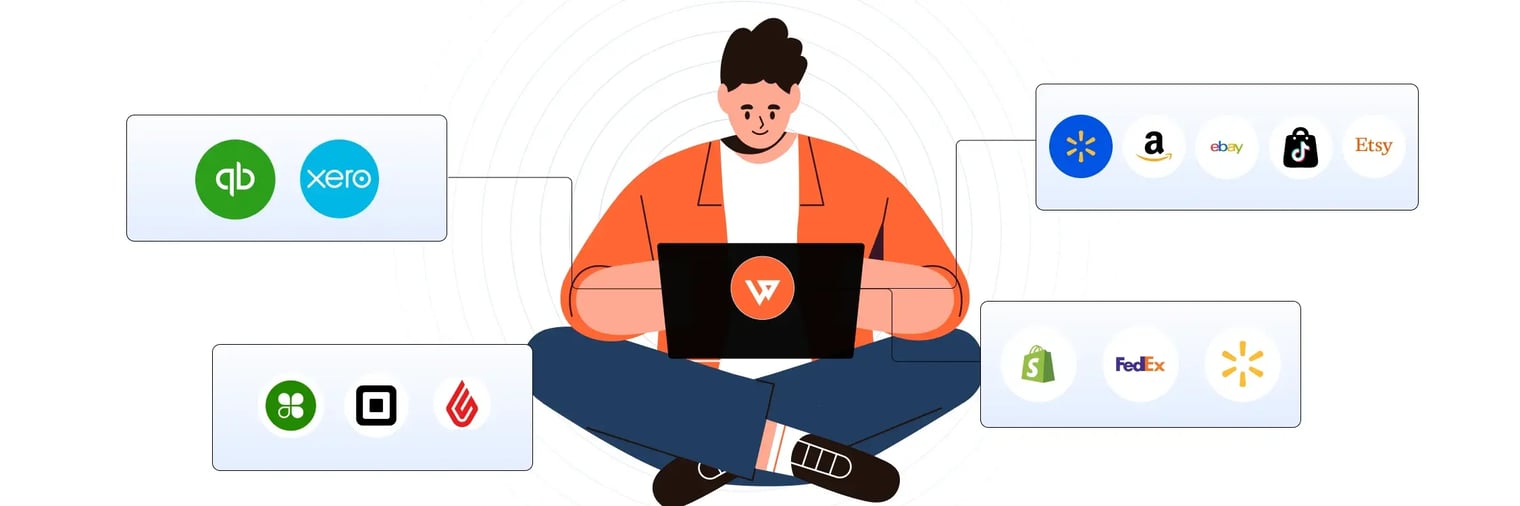
Webgility automates inventory synchronization across your sales channels, supplier feeds, and accounting systems in real time. The platform prevents overselling by updating stock levels instantly and syncing returns automatically.
Schedule a demo today.
Frequently asked questions (FAQs)
How often should I sync inventory with suppliers?
Real-time syncing is ideal to prevent overselling and customer dissatisfaction. If real-time is not possible, aim for updates at least every few hours.
What if my supplier’s inventory data is delayed or inaccurate?
Choose dropshipping inventory management solutions that flag discrepancies and allow for manual overrides. Regular communication with suppliers also helps minimize surprises.
Can I automate order routing to multiple suppliers?
Yes, many dropshipping inventory management platforms let you set rules for routing orders based on availability, location, or cost, reducing manual work.
How do I handle returns efficiently in dropshipping?
Automate returns processing so inventory and accounting update together. Some platforms sync returns and refunds in real time, keeping records accurate.
.png?width=128&name=image%20(1).png)