Reconciling PayPal transactions is rarely straightforward for multi-channel ecommerce sellers. Each platform, including Shopify, Amazon, Etsy, eBay, and Faire, handles PayPal payouts, fees, and holds differently.
This complexity leads to hidden profit leaks, mismatched deposits, and hours lost to manual reconciliation. To solve this, let us break down:
- Why PayPal accounting is uniquely challenging for multi-channel operations
- Reveal the real cost of manual reconciliation
- Explain how to set up platform-specific workflows
Let us start by understanding why PayPal accounting becomes so complex as you add sales channels.
Why PayPal accounting breaks on multiple channels
PayPal accounting becomes significantly more complex as you add sales channels. While PayPal is a trusted, ubiquitous payment processor across ecommerce, each platform integrates with it in a unique way.
Shopify, Amazon, Etsy, and eBay all have distinct payout schedules, fee structures, reserve policies, and refund processes. Standard bookkeeping cannot keep up with these differences without careful customization.
Most sellers do not realize that PayPal fees and payout timing compound differently on each channel, creating a 3–5% profit leak through hidden fees, missed deductions, and reconciliation errors.
For example, Shopify may batch PayPal transactions into a single daily payout with a 2.9% plus $0.30 fee, while Amazon holds 7% of PayPal payouts for 14 days and applies its own referral fees.
Etsy and eBay add their own transaction and final value fees, further complicating the picture.
Key variables that multiply across channels:
- Payout timing varies by platform
- Reserve holds and account restrictions differ
- Fee structures stack and change by channel
- Refunds and chargebacks follow separate timelines
- Multi-currency transactions introduce conversion fees
These differences create hidden risks and manual work. Next, let us break down the real-world challenges and costs of manual PayPal reconciliation.
The hidden costs of manual PayPal reconciliation
Manual PayPal reconciliation can take many hours per week for a multi-channel seller.
Each week, you must download statements from every channel, cross-reference payouts against orders, categorize fees, post entries into your accounting system, and investigate discrepancies.
This process is not only time-consuming but also introduces errors that distort your financial visibility.
For example, a seller might receive a $1,000 PayPal payout from Shopify. After fees, holds, and currency adjustments, the deposit does not match what is recorded in QuickBooks.
Multiply this across multiple platforms and hundreds of transactions, and the risk of missed deposits, misapplied fees, and inaccurate tax reporting grows quickly.
Manual reconciliation risks
- Missed or duplicate deposits
- Misapplied or untracked fees
- Inaccurate tax reporting due to net deposit accounting
- Delayed month-end close and financial blind spots
- Cash flow mismatches from payout timing differences
Automation can save up to 90% of the time spent on reconciliation and month-end close, freeing you to focus on growth instead of spreadsheets. To solve these challenges, you must first understand how PayPal flows differ by platform.
Suggested Read: Webgility PayPal Integration
How PayPal processes fees differently on each platform
No two platforms process PayPal transactions the same way. Each one has its own payout timing, fee structure, reserve periods, and refund handling. Standardized accounting is impossible without tailored workflows.
Comparison of PayPal processing across major platforms
|
Aspect |
Shopify |
Amazon |
Etsy |
eBay |
|
Payout timing |
2–3 business days |
14-day rolling hold |
3–5 business days |
1–14 days |
|
PayPal transaction fee |
2.9% + $0.30 |
Varies; often no direct fee |
2.9% + $0.25 (if PayPal) |
~2.9% if PayPal |
|
Platform commission |
None |
9–15% by category |
6.5% transaction fee |
12–14% (average) |
|
Reserve period |
None |
7% held for 14 days |
None |
None |
|
Refund handling |
Instant via Shopify |
Up to 30 days, Amazon review |
Within 24 hours |
3–7 days |
|
Multi-currency support |
Yes, 3.9% conversion fee |
Yes, varies by region |
Limited |
Limited |
Example: How a $1,000 sale flows through each platform
- Shopify: $1,000 sale, minus 2.9% + $0.30 ($29.30) = $970.70 payout in 2 days
- Amazon: $1,000 sale, minus 15% referral fee ($150), minus 7% reserve ($59.50) = $790.50 payout now, $59.50 released in 14 days
- Etsy: $1,000 sale, minus 6.5% fee ($65), minus 2.9% + $0.25 ($29.25) = $905.75 payout in 3–5 days
- eBay: $1,000 sale, minus 12.9% fee ($129), minus ~2.9% ($29) = $842 payout in 1–3 days
Pitfalls to watch for
- Amazon reserves do not match sales dates, causing timing mismatches
- Shopify payout delays can create reconciliation gaps
- Etsy and eBay deduct fees before payout, making it easy to miss expenses
Understanding these differences is the first step. Now, here is how to set up your accounting for each platform.
Setting up PayPal accounting workflows for each platform
Accurate PayPal accounting requires a few critical steps for each platform. A tailored workflow ensures every order, fee, and payout is tracked correctly.
Step-by-step setup:
- Create a PayPal clearing account in your accounting system (Other Current Asset) for each channel or consolidate if volumes are low.
- Set up GL accounts for each fee type: payment processing, marketplace fees, shipping, advertising, and reserve holds.
- Map platform payouts (Shopify, Amazon, Etsy, eBay) to the clearing account using automation or manual journal entries.
- Sync and reconcile PayPal statement data to accounting entries, ensuring every fee and hold is categorized.
- Post fee adjustments and refunds monthly to keep your books accurate.
- Repeat for each channel, adjusting for platform-specific quirks (e.g., Amazon’s 14-day reserve, Etsy’s refund timing).
Pro tip: Automated tools can perform these steps in real time, reducing setup errors and saving hours every month.
Once your workflows are set, unify your PayPal accounting for scale and clarity.
Best practices for unified PayPal accounting across platforms
A unified approach to PayPal accounting eliminates blind spots and manual errors. Standardizing your processes across all channels unlocks real-time visibility and scalability.
Best practices:
- Use a unified chart of accounts for all PayPal activity
- Automate data imports and reconciliation wherever possible
- Standardize fee and tax categorization across platforms
- Centralize reporting for real-time, cross-channel visibility
Sample chart of accounts structure
|
Account Name |
Purpose |
|
PayPal Clearing – Shopify |
Tracks Shopify PayPal orders/payouts |
|
PayPal Clearing – Amazon |
Tracks Amazon PayPal orders/payouts |
|
Payment Processing Fees |
All PayPal and platform processing fees |
|
Marketplace Referral Fees |
Amazon, Etsy, eBay commissions |
|
Reserve Holds |
Amazon/PayPal reserves |
Table: Sample Chart of Accounts for PayPal
For more on building a scalable accounting stack, see our multi-channel accounting automation guide.
Unified platforms like Webgility centralize order, payout, and fee data, enabling real-time, cross-channel visibility.
Suggested Read: The Complete Guide to Ecommerce Accounting in 2025
How Webgility helps: Real-world PayPal accounting automation
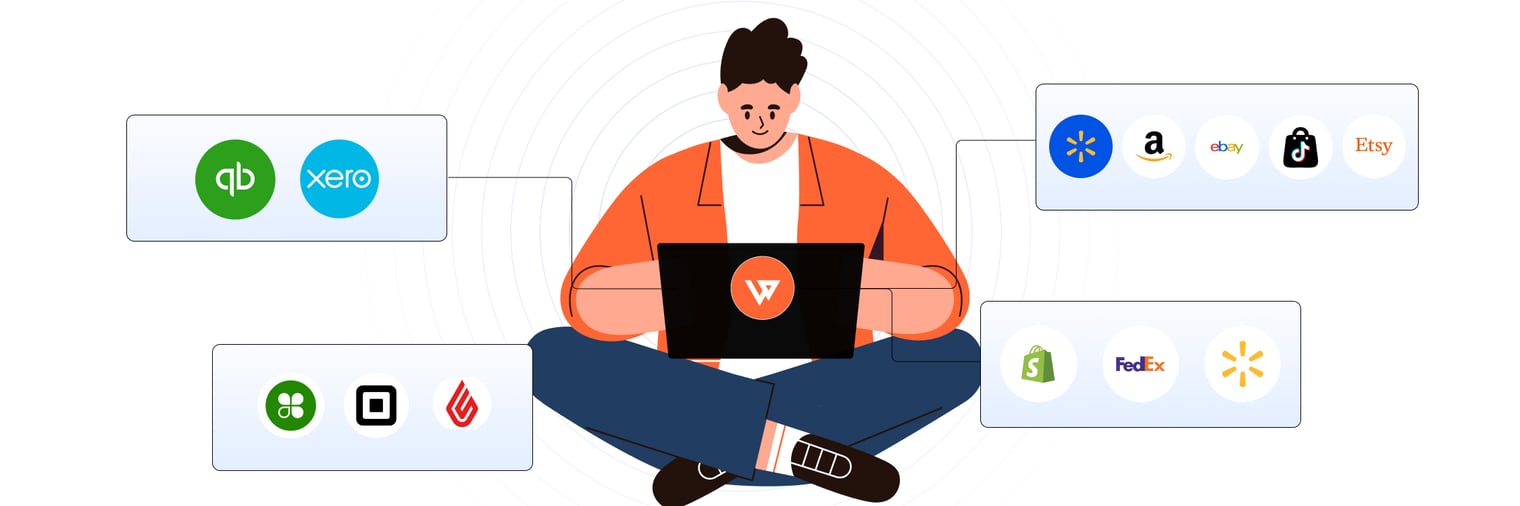
Webgility automates PayPal reconciliation, fee mapping, and reporting, turning a weekly headache into a 30-minute task. The platform connects directly to Shopify, Amazon, Etsy, eBay, and your accounting system, mapping every order, fee, and payout in real time.
Key features:
- Automated PayPal payout reconciliation across all channels
- Fee mapping and a multi-channel dashboard for instant visibility
- Real-time sync with QuickBooks and Xero
Case study
With Webgility, Vector Business Solutions reported a 90% reduction in manual effort for recording Shopify sales. They also reduced Amazon posting from about 8 hours of manual or Excel work to 1 hour for settlement processing and validation.
Watch the video to learn more: Webgility Case Study - Vector Business Solutions
Suggested Read: 7 Best Bookkeep Alternatives & Competitors for Ecommerce (2026)
Next steps: Scaling your PayPal accounting
As your channel count and order volume grow, automation becomes essential for accuracy and efficiency. A future-proof PayPal accounting strategy starts with tailored workflows and ends with automation.
Checklist for scaling:
- Audit your current PayPal flows for each channel
- Identify manual bottlenecks and reconciliation gaps
- Explore unified automation platforms like Webgility
PayPal accounting does not have to be a manual headache. Audit your current workflows, apply platform-specific best practices, and consider automation to future-proof your books.
To learn more, get a demo with Webgility now!
FAQs
How do I reconcile PayPal transactions from multiple ecommerce platforms?
Use a PayPal clearing account in your accounting system for each channel. Match payouts, fees, and holds to individual orders for accurate reconciliation.
What are the main risks of manual PayPal reconciliation?
Manual reconciliation can lead to missed fees, duplicate deposits, and inaccurate tax reporting. Automation reduces errors and saves time.
Can I automate PayPal accounting for Shopify, Amazon, and Etsy?
Yes, automation platforms like Webgility connect to all major channels and your accounting software to automate reconciliation and reporting.
How do platform-specific PayPal fees affect my profit margins?
Each platform applies unique fees and payout schedules, which can impact your net profits. Tracking these separately helps you spot hidden costs and optimize pricing.