.png?width=96&name=image%20(9).png)

|
TL;DR
|
Selling on Shopify, Amazon, eBay, Walmart, Etsy, and your own store can grow revenue fast. It can also wreck your books just as quickly.
Each channel has different payout timing, fee structures, tax handling, refunds, and inventory movements. So while sales increase, finance gets messier: deposits stop matching revenue, inventory drifts, margins get harder to trust, and reconciliation starts eating hours every month.
That is what multi-channel ecommerce accounting is really about. It is not just bookkeeping. It is the process of keeping sales, fees, taxes, refunds, inventory, and payouts accurate across every channel so you can close faster and make decisions with confidence.
This guide covers the core challenges of multi-channel accounting and the strategies that actually fix them so you can stop guessing and run your business on numbers you trust.
What is multi-channel ecommerce accounting?
Multi-channel ecommerce accounting is the process of recording and reconciling financial activity from multiple sales channels in one accurate accounting workflow. That includes:
- Gross sales by channel
- Marketplace, payment, and shipping fees
- Refunds and returns
- Sales tax or VAT
- Cost of goods sold
- Inventory movement
- Payouts and deposits
- Channel-level profitability
A seller on one storefront can sometimes get by with manual work. A seller operating across Amazon, Shopify, retail POS, and B2B orders usually cannot. Too many transactions are moving at different times and in different formats.
The real problems with multi-channel accounting
Even when sales are healthy, your accounting can still be wrong, specifically if the data is scattered across multiple sales channels. Here are the core problems almost every multi-channel seller faces:
1. Data fragmentation across platforms
Sales come in from Shopify, Amazon, eBay, Etsy, and Walmart. Each platform has its own reporting format, payout schedule, and tax calculation method. Refund and return records don't always align.
Without a centralized system, reconciling these streams becomes its own part-time job. Sellers lose visibility into true margins by channel, and tax data becomes unreliable.
2. Manual data entry errors
Manual bookkeeping works for a while, when you’re just starting or until the order volume is low. But what happens when orders double? Or when your team needs real-time numbers to restock inventory or adjust pricing?
That is exactly what happened for PartyMachines.com. The business was spending hours each month manually entering revenue and expenses into QuickBooks. Even after adding help, errors still had to be fixed manually. After switching to Webgility, they saved 8-16 hours each month and gained better visibility across multiple sales channels.
Reality check: If your team is still exporting CSVs, keying in deposits, or correcting duplicates by hand, it's slowing down and doubling their workload.
3. Inventory tracking that breaks at scale
Selling on multiple platforms means dealing with disconnected inventory systems. If one platform updates inventory slower than another, customers can buy items that are out of stock; triggering cancellations, refunds, and negative reviews.
Without unified tracking, you're also flying blind on restock decisions, which leads to either overstocking (wasted capital) or stockouts (missed sales).
4. Sales tax compliance gaps
Every US state has different sales tax rates, filing deadlines, and nexus rules. Some states tax digital goods; others don't. International sellers add VAT, GST, and customs obligations to the mix.
If tax is not captured correctly at the order or SKU level, you can end up under-collecting, over-collecting, or misreporting what the marketplace already handled. Managing this manually isn't just time-consuming; it's a direct compliance risk.
How to fix multi-channel accounting (What actually works)
The answer is not more manual cleanup. It is a more connected workflow. Here are the practices that matter most:
1. Use a multi-channel connector
A multi-channel connector eliminates manual data entry entirely. Instead of exporting CSV files or copying transactions by hand, every order, refund, and fee flows directly into your accounting system; correctly categorized, with tax data organized by region.
Skinny Mixes, a fast-growing Shopify brand, integrated Webgility to connect their store to QuickBooks. The results were immediate: manual data entry disappeared, bookkeeping errors dropped, inventory tracking improved, and the team got hours back each week to focus on growth instead of spreadsheets.
The right connector doesn't just sync data, it makes that data meaningful. There's a critical difference between moving transactions from one system to another and actually explaining where the money went: fees, refunds, taxes, inventory impact, and timing all included.
Webgility connects with 70+ platforms including Amazon, Shopify, eBay, Walmart, Etsy, WooCommerce, and BigCommerce, syncing accounting data in real time. Its AI assistant can surface top customers, calculate daily revenue, and flag discounts or refunds without requiring anyone to dig through dashboards.
2. Review channel profitability, not just top-line revenue
Revenue should be recorded when the order happens, not when a lump-sum deposit hits the bank.
That matters because payouts are rarely equal to sales. They are net settlements after fees, holds, refunds, and adjustments. If you book deposits as revenue, your reports will distort margins and performance.
Pro tip: More channels can grow sales while quietly reducing margin. To see what is really happening, you need visibility into fee-heavy channels, refund rates, shipping costs, and product-level margins.
3. Reconcile on a schedule, not only at month-end
Instead of matching one deposit to one number, the right process matches deposits to the orders, fees, taxes, reserves, and refunds behind them.
Pro tip: Weekly reconciliation catches missing payouts, duplicate entries, incorrect deductions, and stale exceptions before they roll into a bigger closing problem.
4. Treat inventory accuracy as a finance priority
Inventory sync is not just an ops issue. It affects COGS, profitability, purchasing, and reporting quality.
Your accounting system should reflect the same SKU, quantity, and item-level logic as your sales channels. Otherwise, products split across duplicate items, inventory counts drift, and product profitability gets blurry.
5. Track tax deadlines and compliance changes
Some US states require monthly sales tax filings; others only require quarterly or annual submissions. Missing even one deadline can trigger fines. For international sellers, VAT, GST, and digital reporting requirements add another layer of complexity that's nearly impossible to manage without automation.
Solution: Automated tax calculations that apply the correct rates by region, deadline reminders, real-time updates when tax laws change, and accurate transaction records ready for audits.
Suggested read: 7 Best Multi-Channel Ecommerce Solutions in 2026
The best accounting tools for multi-channel ecommerce
1. QuickBooks Online

QuickBooks Online remains the accounting backbone for most ecommerce businesses. It integrates with major platforms, offers real-time inventory tracking, and automates many tax calculations. Best for businesses that need a reliable accounting foundation.
Best features
- Integrate with ecommerce platforms like Shopify, Amazon, and Etsy
- Real-time tracking of inventory to keep stock levels accurate
- Automated bookkeeping that saves you hours of manual work
- Automatic tax calculations for compliance across different countries
- Bill management, mileage tracking, and other accounting functions
2. Webgility
Via Webgility
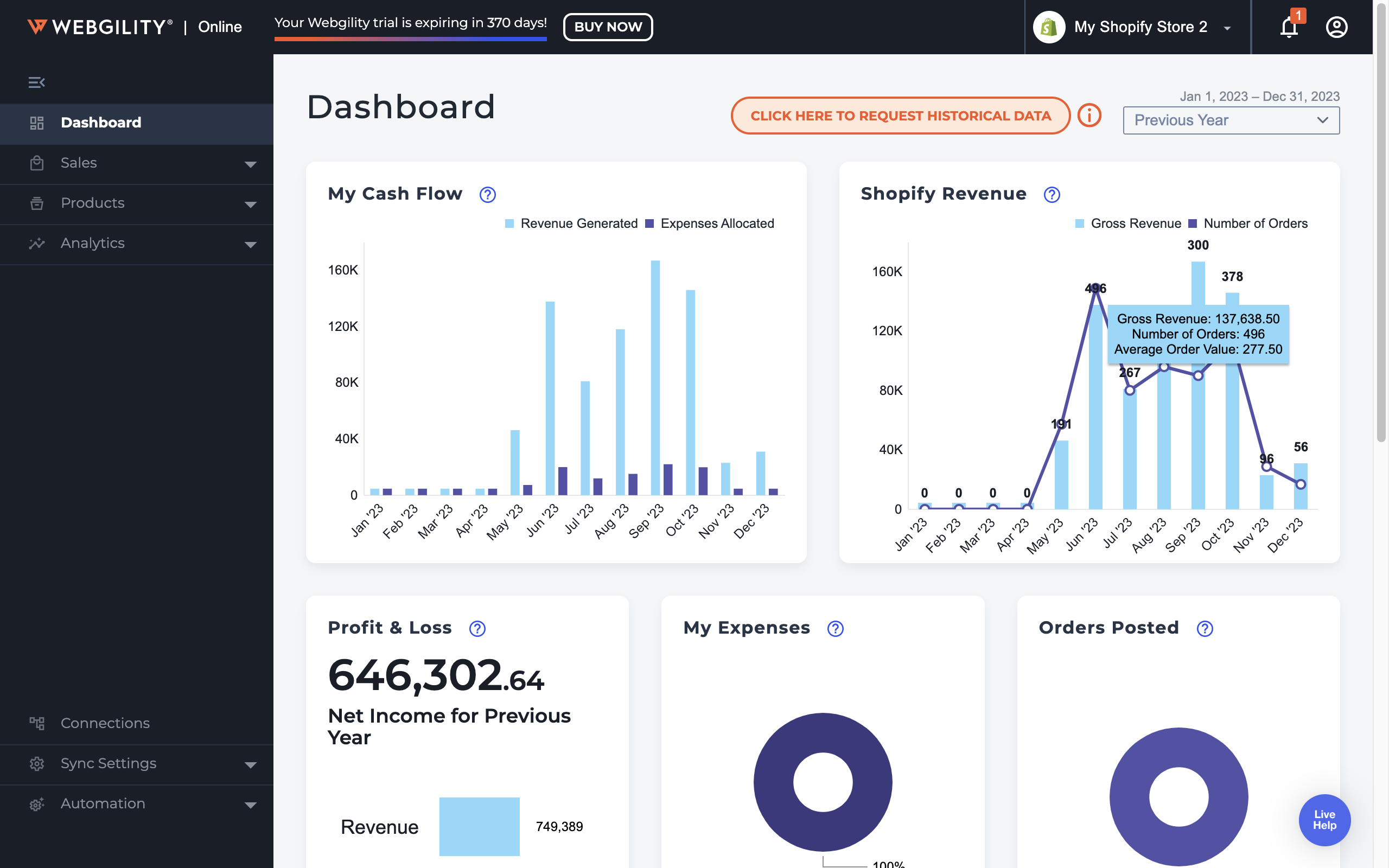
Webgility is purpose-built for multi-channel ecommerce especially businesses using QuickBooks, Xero, or NetSuite. It connects 70+ marketplaces and ecommerce platforms, syncing orders, payouts, inventory, fees, and tax data in real time.
Unlike generic connectors that simply move data, Webgility handles the real-world complexity that breaks other tools: partial shipments, refund timing mismatches, SKU variants, wholesale vs. DTC workflows, and includes an AI assistant for real-time financial insights.
Best features
- Generate and send professional invoices, track payments, and manage receivables effortlessly
- Categorize and keep track of expenses, connect bank accounts for automatic updates, and manage payables
- Produce detailed financial reports, including profit & loss statements, balance sheets, and cash flow.
- Handle payroll, calculate taxes, and stay compliant with local regulations
- Manage inventory levels, track orders, and keep an eye on product costs to maintain ideal stock
3. Shopify Connector
-png.png?width=1849&height=730&name=Screenshot%20(672)-png.png)
Shopify Connector by QuickBooks is a free connector for Shopify merchants using QuickBooks Online. It automatically imports Shopify transactions and related details into QuickBooks, helping sellers record sales, refunds, fees, taxes, products, customers, and payouts with less manual data entry.
Best features
- Automatically import Shopify sales, refunds, fees, taxes, and payout details into QuickBooks Online
- Add transactions to QuickBooks automatically or review them before posting
- Sync Shopify products with inventory items in QuickBooks Online
- Transfer customer details from Shopify into QuickBooks
4. Synder
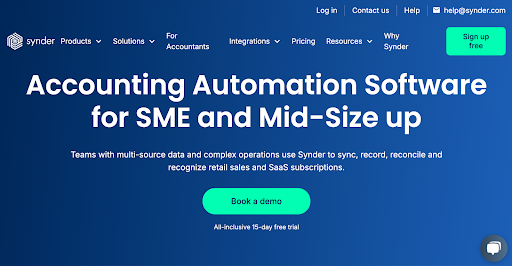
Synder handles data sync across 30+ platforms and works well for smaller operations or SaaS subscription businesses. It includes duplicate detection and one-click rollback for errors. It's less suited for complex, high-volume ecommerce operations that need exception handling or deep inventory integration.
Best features
- Simple setup and easy-to-use interface
- Sync data across sales channels in real time to maintain accurate financial records
- Track basic inventory and cost of goods sold for better operational decision-making
Why choose Webgility over Synder and Shopify Connector? (A quick comparison table)
| Feature | Webgility | Synder | Shopify Connector |
|---|---|---|---|
| Ecommerce focus | Built specifically for ecommerce businesses | Broader tool for multiple industries | Basic Shopify-to-QuickBooks accounting connection |
| Multichannel support | Built for multichannel online and in-person selling | More limited for complex ecommerce operations | Shopify only |
| Inventory sync | Real-time multichannel inventory sync available | Inventory tracking only; no true cross-platform sync | Product and inventory tracking with QuickBooks Online |
| POS integrations | Supports Shopify POS, Square, Clover, Lightspeed | No POS integrations | Designed primarily for Shopify |
| Order detail sync | Syncs transaction-level details and line items | More limited compared to Webgility | Imports Shopify transactions and related details |
| Shipping and fee tracking | Records shipping and payment fees automatically | No shipping module | Imports Shopify fees, refunds, taxes, and payouts |
| Support and onboarding | Free onboarding and expert support on all plans | Free onboarding/support only on higher-tier plans | Standard QuickBooks support and setup resources |
| Best for | Growing multichannel ecommerce brands | Small businesses with simpler needs | Small Shopify businesses using QuickBooks Online |
Stop guessing. Trust your numbers
Multi-channel accounting breaks when syncing data is the end goal rather than the starting point. The businesses that scale past the chaos aren't just moving transactions from one system to anothe; they're building books they can actually make decisions from.
Can you discount that SKU?
Is it time to reorder?
How much spend can you absorb before the next campaign?
Those answers live in your accounting data but only if it's accurate, current, and organized to reflect how you actually sell.
Webgility goes beyond sync to give ecommerce businesses decision-grade books: payouts explained, exceptions handled, and a financial foundation that doesn't break when your business gets complex.
Whether you're running DTC on Shopify, selling on Amazon and Walmart, managing wholesale alongside retail, or all of the above: Webgility connects it all to QuickBooks and keeps it accurate without the manual work.
Ready to stop guessing? Get started with Webgility or book a demo to see it in action.
FAQs
Why shouldn’t sellers book payouts as revenue?
Payouts are usually net of fees, refunds, holds, and adjustments, so booking them as revenue can distort profitability.
How often should multi-channel sellers reconcile their books?
Weekly reconciliation helps catch missing payouts, duplicates, and deductions before they become month-end problems.
How does Webgility help with multi-channel accounting?
Webgility connects sales channels with accounting platforms to sync orders, payouts, fees, taxes, and inventory automatically.
.png?width=128&name=image%20(9).png)