|
Key takeaways:
|
You started small, but now you're running high-volume sales across channels like Amazon, Shopify, eBay, and more. That's incredible growth!
The downside? Your old accounting software feels like it's actively working against you. You've got sales coming in, inventory moving across warehouses, payouts hitting different bank accounts, and every month at close, you're stuck reconciling it all manually.
If you’re seeing real traction, you've probably outgrown basic QuickBooks. But if you’re not ready for a six-figure ERP yet, that’s exactly the gap Intuit Enterprise Suite (IES) is built to fill.
Launched in 2024, Intuit Enterprise Suite offers consolidated reporting, role-based access, automation, and planning in a unified platform. One login gets you into all your entities without the complexity or cost of traditional ERPs like Sage Intacct.
In this guide, we’ll cover what Intuit Enterprise Suite does, who it’s best for, and how its features work in day-to-day operations. We’ll also do a quick comparison between QuickBooks Enterprise and IES, so you know which option fits your current scale, complexity, and budget.
What is Intuit Enterprise Suite (IES)?
Intuit Enterprise Suite (IES) is Intuit’s configurable, AI-powered platform for growing, more complex businesses. It is built to connect the core systems you use to run the business (like accounting, payroll/HR, cash flow, and more) in one place, with connected data and a single ecosystem experience.
What makes IES feel ‘enterprise’ is its practical stuff teams hit when they scale: multi-entity management, consolidated reporting, intercompany workflows, and stronger controls like role-based access and approvals. Intuit even ships a dedicated multi-entity hub designed to give a portfolio view (KPIs/dashboards) and streamline consolidations and intercompany activity.
Who is IES for (and who it’s not for)
The decision to move to Intuit Enterprise Suite is driven by business complexity, not just revenue size. If your accounting teams are spending days on manual tasks like consolidation or detailed job costing, you’re likely ready for IES. These are the best-fit profiles:
1. Multi-entity businesses that need a consolidated view
If you’re running multiple legal entities (or planning to), IES is built around multi-entity management, including intercompany workflows and consolidated reporting with a portfolio-style hub and drill-down detail.
2. Growing teams that need stronger controls (without slowing everything down)
When you need role-based access, approvals, and tighter governance because everyone can see/do everything, it is no longer safe or scalable. IES is designed for that next stage of operational control.
3. Service and project-driven businesses that care about job/project profitability
If project costing and profitability reporting are central (construction- for example), Intuit positions IES to support accurate, real-time project reporting for more complex operations.
4. Operators who want planning + reporting connected to accounting
If forecasting, KPIs, and decision-making feel disconnected from the books today, IES is positioned as a platform that brings financial + operational data together to improve insight and speed.
|
This is for ecommerce operators specifically: If you're selling across Amazon, Shopify, TikTok Shop, or other channels, you probably fit into at least three of the profiles above – multi-entity structure, need for tighter controls as your team grows, or wanting better visibility into profitability by product or channel. But here's what you need to know: IES can only consolidate and report on data that's already clean and categorized. If your orders are flowing in as lump sums, fees aren't broken out properly, and COGS is a manual spreadsheet exercise, IES won't magically fix that. It'll just consolidate the mess faster. That's where Webgility comes in. It sits upstream of IES by letting you automatically sync orders with proper categorization, break out marketplace fees and sales tax, calculate accurate COGS, and ensure payouts reconcile correctly. IES then takes that clean, structured data and gives you the consolidated reporting, multi-entity management, and forecasting you need. |
Now that you know whether Intuit Enterprise Suite is the right fit, let’s break down its key features and what they look like in day-to-day use.
Key features of Intuit Enterprise Suite
Having established who the Intuit Enterprise Suite is for and how it addresses their complex scaling challenges, let's look under the hood at what it actually does, exploring the key features that deliver on its promise of enterprise-level control and efficiency:
1. Multi-entity management & consolidated reporting
Managing multiple subsidiaries, divisions, or legal entities becomes significantly simpler with capabilities that include:
- Manage up to 100 entities from a single login with centralized user permissions and controls
- Get consolidated reporting across accounts payable, accounts receivable, and transactions
- View portfolio-level performance without manually combining spreadsheets from different QuickBooks files
Real-world example: If you own a holding company with separate LLCs for your Amazon store, Shopify site, and wholesale distribution, IES consolidates all three automatically while letting you view each entity's standalone performance.
2. Multi-dimensional reporting
IES allows you to track and analyze data with incredible granularity without creating an unmanageable chart of accounts, so that you can:
- Use up to 20 custom dimensions to categorize transactions without bloating your chart of accounts (e.g., by Project, Region, Department, Product Line, or Fund)
- Run flexible, multi-dimensional reports (P&L, Balance Sheet) pulling data across the entire platform and connected apps
- Leverage the customizable Performance Center dashboard to monitor key KPIs and make real-time, data-driven decisions
3. AI-powered financial planning & forecasting
IES uses your last 5 years of financial data to generate forecasts automatically:
- Set budgets by dimension (location, department, project) and track variance in real-time
- The system analyzes historical trends, performance metrics, and creates baseline forecasts you can adjust
- Route budget requests through multi-level approvals with full audit trails
4. Project financials & job costing
For project-centric businesses, IES provides the deep visibility required to protect profitability.
- Track real-time Project Profitability, including accurate allocation of labor costs (via integrated payroll)
- Monitor Committed Costs and support industry-specific reporting like Work in Progress (WIP) analysis
- Streamline project-related documentation with structured workflows and change order management
5. Integrated workflows (Payments, bills, approvals)
Integrated workflows replace manual processes and email chains with secure, auditable digital trails.
- Configure multi-level approval workflows with custom thresholds for bills, purchase orders, and expenses
- Streamline Accounts Receivable with integrated invoicing and payment processing for faster cash flow
- Schedule Bill Pay directly within the suite, complete with a secure, searchable full audit trail
6. Payroll & HR, and benefits management
IES supports payroll/HR capabilities intended for growing teams, including:
- Payroll syncs directly to your general ledger (no more manual journal entries)
- Employee self-service portal for pay stubs, W-2s, and time tracking
- HR advisory services and benefits administration through third-party partners
7. Support model built for ‘bigger than small business’
Intuit positions IES with a more guided experience than typical SMB software by providing businesses with:
- Access to a team of experts / success-style support as part of the suite experience
With all these capabilities, you might be wondering how Intuit Enterprise Suite relates to QuickBooks Enterprise and QB Online Advanced, a product you've likely heard about or even used. The similar names create confusion, but these are distinctly different solutions serving different business needs.
Quick comparison: Intuit Enterprise Suite vs QuickBooks Enterprise vs QuickBooks Online Advanced
One of the most common points of confusion deserves clarification: Intuit Enterprise Suite, QuickBooks Enterprise, and QB Online Advanced, all products serve completely different needs. Here’s a quick comparison:
| Feature | Intuit Enterprise Suite (IES) | QuickBooks Enterprise (QBE) | QuickBooks Online Advanced |
| Deployment | Cloud-native (Browser-based) | Desktop software (Requires hosting for cloud access) | Cloud-native (Browser-based) |
| Multi-entity | Native unified system with automated eliminations | Separate company files (Manual consolidation) | Separate company files (Manual consolidation/3rd party) |
| AI/Automation | Advanced AI agents (Forecasting, transaction automation) | Limited AI/Automation | Basic workflow automation |
| Reporting detail | Up to 20 Custom Dimensions (Granular, multi-entity P&L) | Advanced Reporting, but fewer dimensional options | Class/location only |
| Best for inventory | Basic tracking (Relies on 3rd party integrations) | Advanced inventory: Serial/Lot tracking, multi-location bins, FIFO costing | Basic tracking |
| Focus | Multi-entity finance, operations, AI insights | Multi-entity finance, operations, AI insights | Standard mid-market accounting |
| Pricing | Quote-based | License/subscription + hosting (if any) | Starts from $38 per month ($11.40 after 70% discount as of Dec 2025) |
Choosing the right platform:
- Choose IES if your challenge is multi-entity complexity, the need for AI-driven forecasting, and a desire to integrate your financials with broader operational functions (HR, marketing) in a modern, single-login cloud platform
Where Webgility helps: IES gives you the structure (multi-entity, consolidation, controls). Webgility strengthens the inputs by keeping ecommerce transactions consistently categorized and easier to match to payouts, so the numbers you consolidate, report on, and plan from are actually trustworthy.
- Choose QBE if your challenge is advanced inventory, manufacturing workflows, and you prioritize the traditional desktop control and architecture
Where Webgility helps: If you sell on channels like Amazon/Shopify/eBay, your bottleneck is rarely posting a sales total, it’s getting clean, reconcilable detail (orders, fees, taxes, shipping, refunds, deposits) into accounting so inventory and profitability reporting don’t get distorted.
- Choose QuickBooks Online Advanced (QBOA) if you are a single-entity business (or your multi-entity needs are low-volume and manageable) and you’re not ready for the automated consolidation or multi-dimensional reporting
Bonus Read: QuickBooks Online vs. Desktop: Which Is Best for You?
Bridging the gap: How Webgility fuels IES automation
To truly achieve scale, especially with high transaction volumes, IES needs clean operational data, which is where Webgility provides a critical enhancement. Here are some key features that set Webgility apart:
- Automated ecommerce transaction posting (orders, refunds, taxes, shipping, discounts)
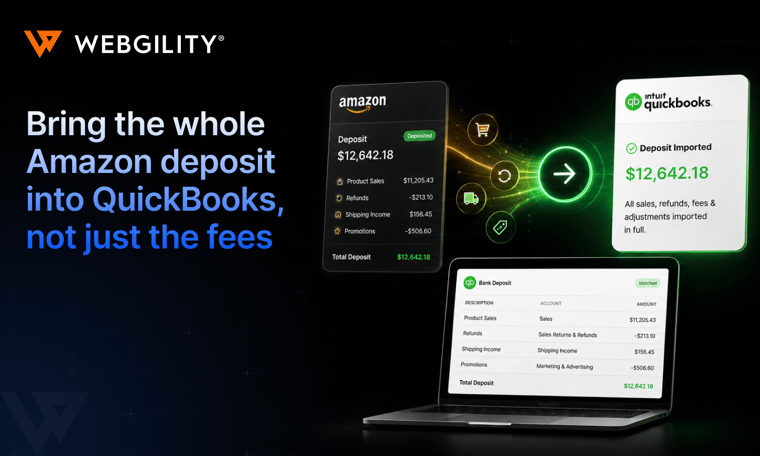
Webgility turns high-volume channel activity into clean, consistent accounting entries so finance isn’t stuck re-keying data or fixing categorization every close. - Payout/deposit reconciliation support
Helps map marketplace deposits back to the underlying activity, such as orders, refunds, and fees, so bank recs are faster and variance-hunting shrinks. - Fee visibility + cleaner margins (marketplace fees, payment processing, adjustments)
Breaks out the costs that usually get lumped into one bucket, making profitability reporting more trustworthy, especially when channels take different fees. - COGS alignment for SKU-level profitability
Supports tying sales to COGS so you can see what’s actually profitable at the SKU/channel level (not just revenue), which makes planning and forecasting far more reliable. - Multi-channel normalization (one source of truth)
Standardizes the messy differences between channels (tax behavior, refunds, shipping, discount logic) into a repeatable accounting structure so downstream automation and reporting don’t break as volume grows.
Channie's, an organization selling educational products on platforms like Amazon and eBay experienced rapid, doubling growth. Before Webgility, the influx of transactions required manual data entry for hours every day. After implementing Webgility to seamlessly sync with their accounting system, they saved over 60 hours per month on manual data entry plus their order volume increased by 250%.
Strategic implementation of IES
Moving to IES isn't a weekend project, but it doesn't have to be an 18-month ERP implementation either.
Here are six strategic steps for a successful IES implementation:
1. Strategize your dimensional reporting core first
Don't just lift your old chart of accounts. First, define your multi-entity structure and up to 20 custom dimensions (categories). This foundational step dictates your consolidated reporting and future profitability analysis.
2. Configure security and approval workflows upfront
Establish your role-based permissions and the multi-step flow of financial approvals for POs, bills, and payments early. This is crucial for setting the governance required for audit readiness and compliance.
3. Migrate clean data with a clear cutover plan
Be disciplined about your final Chart of Accounts structure. Leverage your dedicated migration assistance or professional services partner to execute a clear cutover plan for historical data, minimizing disruption to your current books.
4. Connect mission-critical operational systems
Integrate your money movement systems (banks and payments) immediately. For high-volume e-commerce, this means connecting Webgility first to ensure your high-volume sales, taxes, fees, and COGS are clean, mapped, and ready for accurate posting into IES.
5. Validate month-end outputs against history
Before going fully live, ensure your new IES environment produces verifiable results. Validate that the trial balance, consolidated reports, and cash flow statements are accurate and precisely match your historical data.
6. Train by role and leverage dedicated support
Move beyond generic training. Train users based on their specific access and workflow needs (e.g., project managers vs. A/P clerks). Use your Customer Success Manager for personalized setup guidance and ongoing optimization as your business evolves.
The final verdict: Future proofing your growth!
Choosing the right platform isn’t about buying enterprise software; it’s about removing the bottlenecks slowing your close and limiting visibility.
Intuit Enterprise Suite delivers enterprise-grade reporting, security, and automation for scaling teams, especially where multi-entity complexity and financial controls matter. For ecommerce operators, results still come down to data quality.
Webgility bridges that gap by automating how Shopify and Amazon transactions post and reconcile, giving you cleaner books and faster month-end. Book a demo today and see what automated ecommerce accounting looks like in real workflows!
FAQs
Is QuickBooks’s Enterprise free?
No, there is no permanently free version of QuickBooks, but it does offer a 30-day free trial for new users to explore its paid plans.
What is enterprise pricing?
Enterprise pricing is a pricing model or strategy used primarily for products or services promoted to large organizations, institutions, or businesses.
What is the difference between QuickBooks and QuickBooks Enterprise?
Choose Intuit Enterprise Suite when business complexity outgrows basic accounting: multiple entities, consolidated reporting needs, tighter role-based controls/approvals, and planning tied to financials. If close is spreadsheet-heavy and visibility is fragmented, IES is likely the right next step.