.png?width=96&name=image%20(3).png)
-3.png?width=1520&name=2%20(1)-3.png)
A lot of businesses still manage payables with copy-pasted spreadsheets, inbox back-and-forth, and handwritten checks that leave plenty of room for error. As one Reddit user described, their company relied on spreadsheets for POs while invoices piled up in an email inbox.The result was frequent matching errors and no clear view of expenses beyond inventory.
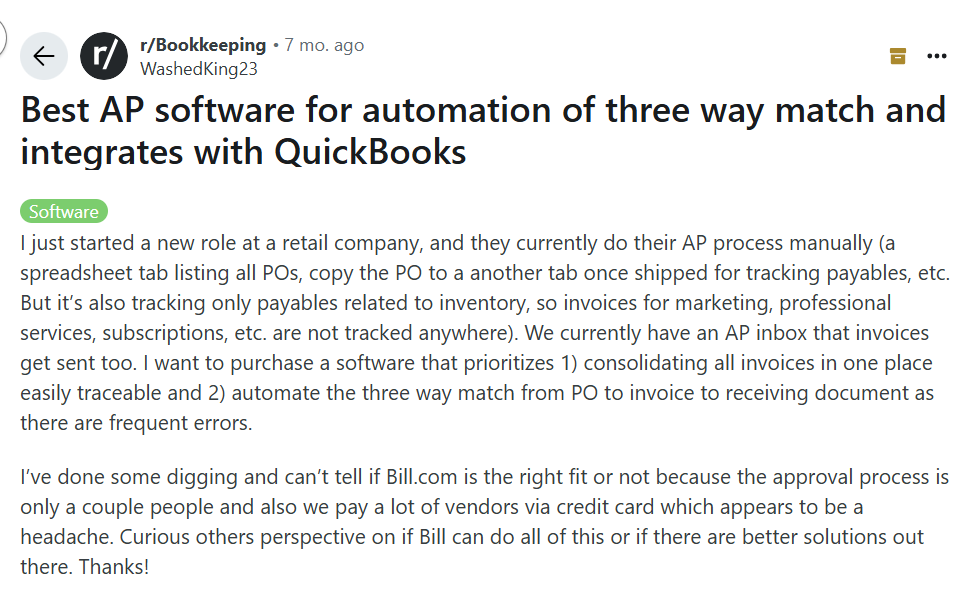
A Reddit user shares the frustration of tracking payables manually and wonders if QuickBooks integrations can fix it.
We see situations like this all the time, and they usually stem from outdated systems that can’t scale with growing transaction volumes. That’s exactly why we designed Webgility’s QuickBooks POS integration: to consolidate financial data, automate syncing, and give you reliable, real-time tracking.
With AI-powered automation, you can finally step away from tedious accounting and operational tasks and focus on scaling your business. In this blog, we’ll walk you through how Webgility helps ecommerce teams build efficient, scalable accounting processes.
What is QuickBooks POS integration?
QuickBooks POS integration connects your ecommerce or point-of-sale system with QuickBooks, giving you one reliable view of your finances. Sales data moves in automatically, and inventory updates without manual effort.
Payments also sync in real time, so your books reflect what’s happening right now. Without this kind of integration, you risk mismatched numbers and delayed reporting. We’ve seen how even small gaps in data can snowball into stock issues that disrupt your operations.
With QuickBooks POS running in the background, every transaction records itself. Reports stay accurate, and you gain the freedom to make business decisions faster.
Why QuickBooks POS integration is important for ecommerce
One of the biggest problems for ecommerce businesses is an inaccurate inventory record. This usually happens because you’re selling in more than one way, maybe through multiple storefronts, online and offline. You also have point-of-sale registers and accounting software, which means your systems are split.
When these systems don’t connect, there’s no easy flow of data. Your inventory might not update properly, so while a product is sold in one channel, it still shows as available in another. By the time you sit down to reconcile reports, the numbers are already outdated.
You might manage with this setup when you’re operating at a smaller level. But as you scale, the gaps get wider and the trouble gets bigger. Every new sales channel or batch of orders adds more manual updates, and the risk of errors rises with it. What once felt manageable quickly turns into a drag on your operations.
QuickBooks POS integration connects your sales channels so data moves automatically between them. Each update happens right away, which means your financial records and inventory stay accurate without extra effort. Instead of spending time on manual fixes, you can focus on growing the business and keeping daily operations on track with confidence.
Suggested read: How to Reconcile Shopify Sales in QuickBooks
How Webgility optimizes QuickBooks POS integration
With Webgility, you can connect your ecommerce platform directly to QuickBooks. It might be Shopify, BigCommerce, WooCommerce, or another storefront you use. Once the connection is live, our system keeps everything updated for you, so you don’t waste time on manual entries.
Our AI-powered e-commerce automation takes over the routine accounting work. It assigns orders to the right categories, links transactions to payouts, and posts entries into QuickBooks without delay. Each time you use it, our system gets smarter. That means fewer slip-ups and books you can actually trust.
We do not lock you into a rigid setup. You choose how orders flow and how transactions get categorized, so the system matches the way you already work. As your business grows, those same workflows expand to handle the added volume. The workflows you’ve already built adjust to handle the added volume, so the foundation you set today continues to support you tomorrow.
How Webgility stands out compared to competitors
When you stack Webgility against other QuickBooks POS integration tools, the differences become clear. Here’s how Webgility compares with A2X, Synder, Bookkeep, and MyWorks across core features, integrations, automation, and scalability.
|
Feature / Aspect |
Webgility |
A2X |
Synder |
Bookkeep |
MyWorks |
|
Core focus |
End-to-end ecommerce automation (orders, payouts, inventory, operations) |
Simplified payout reconciliation for accountants |
Transaction syncing across sales + payments, basic inventory |
Summary journal entries and payment sync |
Basic store-to-QB sync for Shopify/WooCommerce |
|
Integrations |
28+ platforms, multi-channel, POS, marketplaces |
Limited: 4 marketplaces + Shopify |
Broad: payment gateways + ecommerce platforms, but weaker POS |
60+ integrations, heavy on POS/payments, weaker ecommerce |
Shopify and WooCommerce only |
|
Inventory |
Full inventory + COGS tracking across channels |
No inventory tracking |
Partial inventory tracking |
No inventory management |
COGS only, no full inventory sync |
|
Automation depth |
Real-time sync, AI assistant, rules engine, analytics |
Bi-weekly or daily sync, no AI, limited scope |
Real-time or daily sync, no AI, limited rules |
Daily/bi-weekly sync, no AI, limited automation |
5-min sync possible, no AI, limited automation |
|
Pricing model |
Feature-based; starts at $49–$59/month |
Order-based; starts at $29/month |
Order-based; starts at $65/month |
Revenue-based; starts at $49/month |
Order-based; free up to 20 orders, then $19+/month |
|
Scalability |
Startups to enterprise, grows with multi-channel needs |
Best for single-channel sellers or accountants |
Suited for small businesses and accountants; less for complex ops |
Focused on small businesses/accountants; limited scale |
Small sellers only; not built for multi-channel growth |
|
Support & Onboarding |
Free onboarding, strong service |
Limited, only in higher tiers |
Limited, higher plans only |
Only in higher plans ($160+) |
Offers onboarding and 24/7 support |
Key benefits of Webgility’s Quickbooks POS integration
When you connect Webgility with QuickBooks POS, accounting and operations become easier to manage. You start saving time and working with more accurate numbers.
- Automated syncing: We move sales and inventory information straight into QuickBooks. Many business owners recover ten to fifteen hours each week once the manual steps are gone.
- Live inventory updates: Every order instantly adjusts stock levels. Your records always match what is available, and customers are not left waiting for items that no longer exist.
- Faster month-end close: Reconciliations run in the background, which helps you close the books in nearly half the usual time. Each cycle ends with less pressure and more clarity.
- Accurate financial records: Transactions fall into the right categories and post directly into QuickBooks. Reports stay precise and ready whenever you need them.
- Flexibility to scale: As you add new channels or handle more orders, Webgility adapts. The setup you design today continues to work as your business grows.
We take care of these essential processes so you can focus on building the business with less stress and more confidence.
Implementing Webgility for your ecommerce business
When you bring Webgility into your business, we focus on making the setup smooth and stress-free.
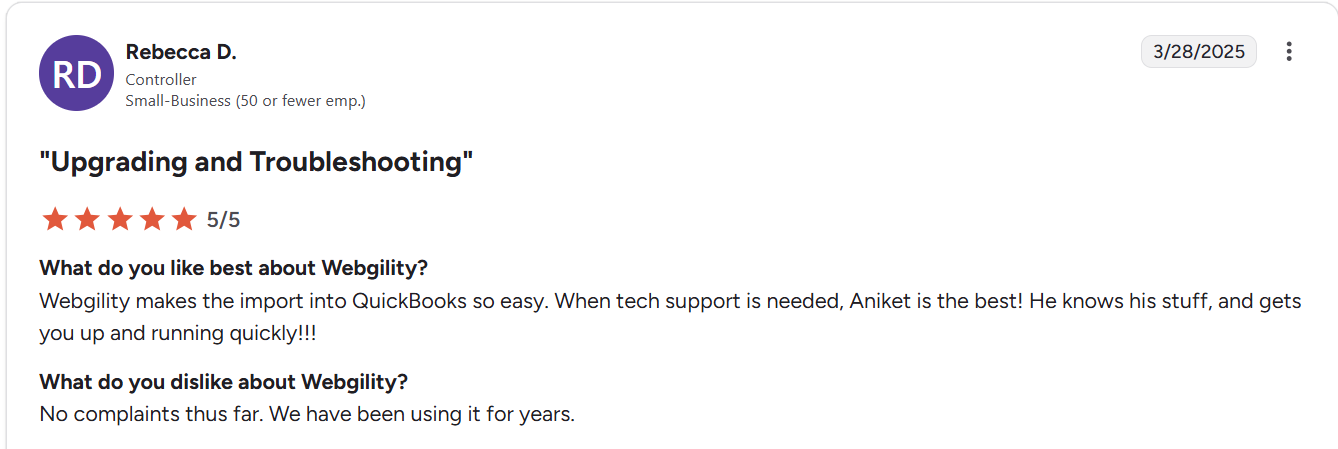
Webgility user praising our customer support on G2
Our goal is to help you see value quickly without slowing down your operations.
Step 1. Quick Setup and Integration
We connect your QuickBooks account with the ecommerce platforms you rely on, such as Shopify or BigCommerce. The sync begins right away, and you no longer spend hours on manual entries.
Step 2. Tailored Configuration
Once the connection is live, you choose how orders flow, how inventory updates, and how financial data moves into QuickBooks. We make sure the system reflects the way you run your business, so you feel in control.
Step 3. AI-Driven Automation
Our AI assistant takes over repetitive accounting work. It learns from your past activity, becomes smarter with use, and helps keep your records accurate. That gives you more confidence in the numbers you review each day.
Step 4. Ongoing Training and Expert Support
We don’t leave you on your own after setup. Our onboarding team trains you fully, and our experts remain available whenever you need help. You also have access to a rich library of guides and resources for quick answers.
Step 5. Scaling with Ease
As your business expands, Webgility adapts. You can add new products, channels, or marketplaces without reworking the foundation you’ve built. The workflows you create today will continue to serve you as you grow.
With this process, we help you automate essential tasks, cut down on manual work, and create more room for sustainable growth.
Real-life success stories: How we help ecommerce businesses grow
We’ve seen firsthand how Webgility improves operations for our customers. Here are a few examples of the impact you can expect when you work with us.
JVR Industries, a packaging manufacturer, once spent ten minutes on every order. Inventory in QuickBooks often showed the wrong numbers, and sales tax errors created extra work.

With Webgility in place, order processing now takes only two minutes. Automation keeps inventory and tax records accurate and frees up staff time, while also supporting new product launches. These changes helped the company triple its sales.
Epic Mens, a men’s apparel retailer, struggled to keep data aligned across multiple storefronts and QuickBooks. Staff spent countless hours on manual entry, and inventory never felt reliable. After moving to Webgility, orders and inventory synced automatically.
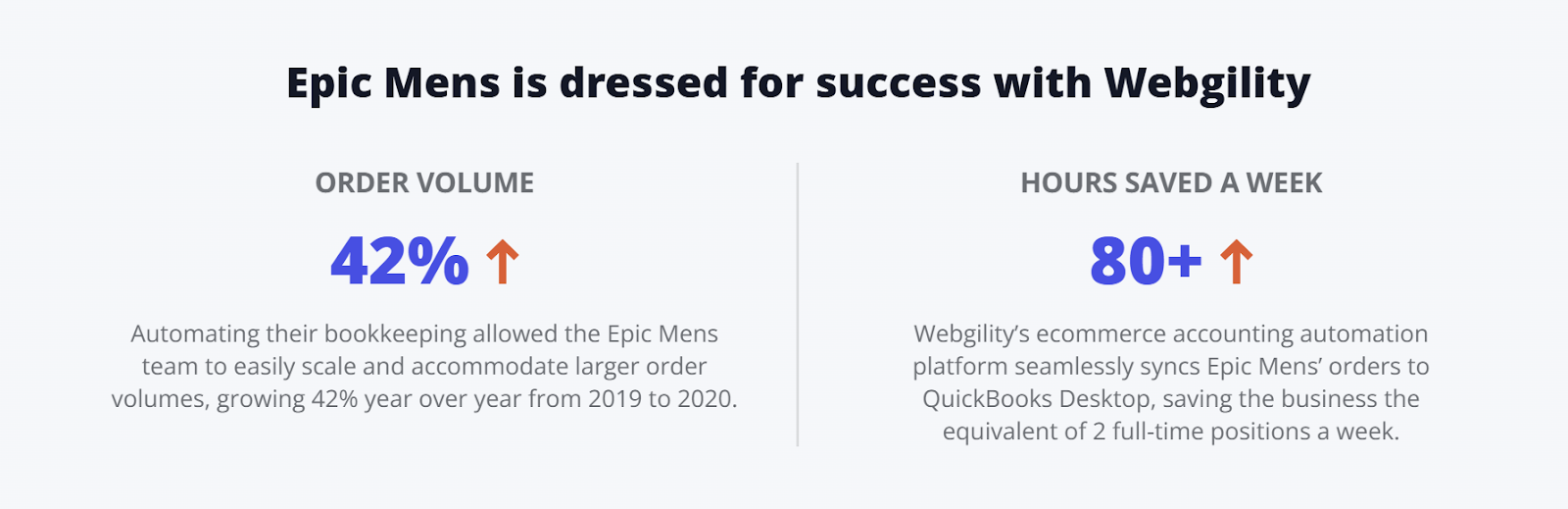
The team saved more than 80 hours each week, equal to the workload of two employees. With operations running steadily, Epic Mens grew order volume by 42% in a single year.
Channie’s expanded across marketplaces and retail partners, which created heavy bookkeeping demands in QuickBooks Online. Staff spent over two hours every day entering data. Webgility automated the process and saved more than 60 hours each month.
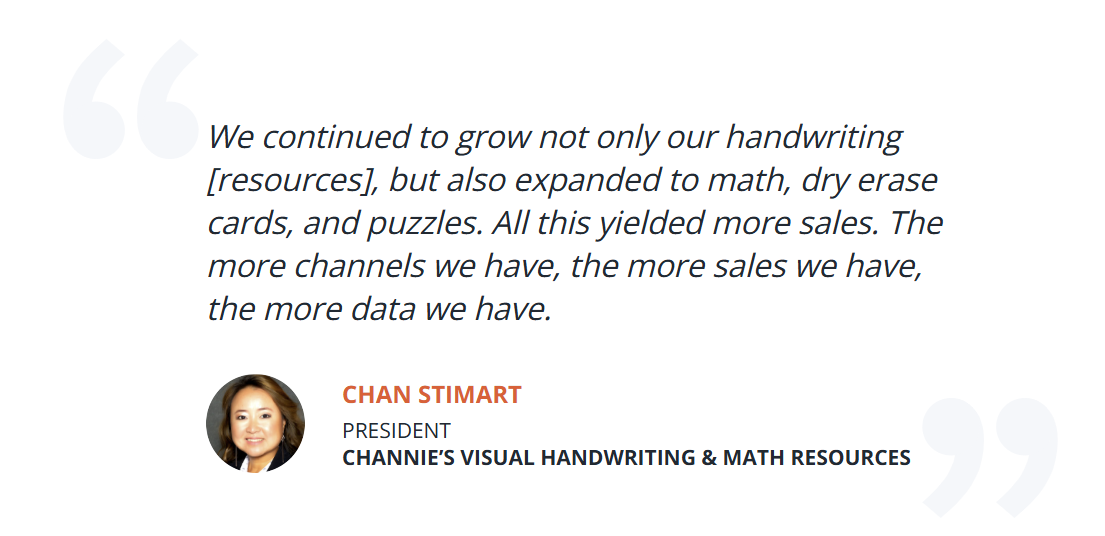
Client’s testimonial on how they improved sales with Webgility
With fewer errors and more time available, the company kept up with rising demand and reached a 250% increase in order volume.
Your business can see results like these too. We help you save time and improve accuracy, giving you the capacity to grow with confidence.
Read more: QuickBooks vs NetSuite vs Odoo: Features, Pricing & Scalability Guide
How you get started with Webgility’s QuickBooks POS integration
When you decide to work with us, we make the setup straightforward so you can see results quickly.
Step 1. Sign up and connect your platforms
Create your Webgility account and link QuickBooks with your online store. Whether you use Shopify or BigCommerce, the process takes only a few clicks and the sync begins right away.
Step 2. Configure your workflow
Once your platforms are connected, you set the rules. Decide how orders move, how inventory updates, and how financial data flows into QuickBooks. We help you match the system to the way you already work.
Step 3. Activate AI automation
Turn on our AI assistant to handle repetitive tasks. It adapts to your history, categorizes orders, and matches transactions, giving you higher accuracy with less effort.
Step 4. Onboarding and ongoing support
We guide you through setup with free onboarding. Our experts remain available whenever you need help, and you always have access to resources for quick answers.
Step 5. Grow without disruption
As you expand into new channels or add products, Webgility adjusts. Your workflows remain steady while your business grows, so you can keep moving forward confidently.
|
Watch this video to get started with Webgility Online Setup |
When you start with Webgility, you gain reliable books and easier inventory control, along with faster closes. We give you the tools to free up time and cut down on errors, so you can stay focused on running the business. Ready to begin? Start your free trial with Webgility today.
Frequently Asked Questions
1. What ecommerce platforms does Webgility integrate with?
Webgility integrates with over 28 ecommerce platforms, including Shopify, BigCommerce, WooCommerce, Amazon, eBay, and more, allowing seamless synchronization of sales, inventory, and financial data.
2. How does Webgility’s QuickBooks POS integration work?
Webgility connects your ecommerce platforms with QuickBooks, automating the transfer of orders, fees, taxes, and inventory updates in real-time. This ensures accurate financial reporting and inventory management across all channels.
3. Can Webgility handle inventory management?
Yes, Webgility tracks inventory levels in real-time across all your sales channels. It prevents overselling by syncing inventory updates automatically, ensuring that stock levels are always accurate.
4. How much time can Webgility save?
By automating accounting, inventory syncing, and reconciliation tasks, Webgility can save businesses up to 10-15 hours a week on manual data entry and financial reporting.
.png?width=128&name=image%20(3).png)

-Mar-26-2026-09-27-39-0601-AM.webp?width=760&name=1%20(2)-Mar-26-2026-09-27-39-0601-AM.webp)
-4.webp?width=760&name=1%20(2)-4.webp)