<img height="1" width="1" style="display:none" src="https://www.facebook.com/tr?id=984096836450318&amp;ev=PageView&amp;noscript=1">
Winning the Chargeback Battle without Losing Margins - Live Session - Aug 12, 10AM PT Win Chargebacks Without Losing Margins Save Your Seat →
Customer Webinars · Live Series

Your QuickBooks setup shouldn't be a guessing game. This session, we build it right, live.

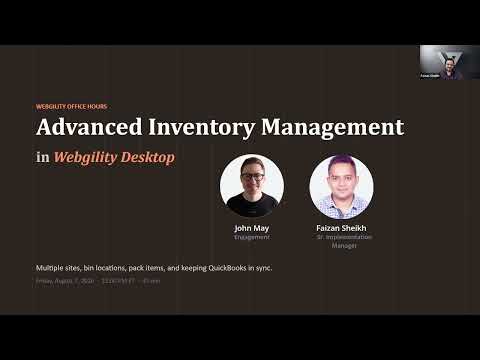
This session, John May and the implementation team walk through setting up QuickBooks Online for multichannel ecommerce from scratch.

Date
Tue, June 17
Time
12:00 PM ET
Duration
45 min
Format
Live
John May
Customer Marketing & Engagement, Webgility
Implementation Team Member
Implementation Specialist, Webgility
  • A complete QuickBooks Online setup, configured live
  • Chart of accounts, products, tax, and automation rules
  • Live Q&A with the implementation team
How It Works

45 minutes with the implementation team. You leave with it configured.

Every session follows the same structure: understand the decision, watch it configured live, then get your own questions answered.

15 min
The Why
Why this setting matters, and how it shows up at month-end.
20 min
Live Configuration
The team walks through every step. Follow along in your own account.
10 min
Q&A + Troubleshoot
Bring your edge cases. The team helps troubleshoot your setup.
This Session

Your QuickBooks company is where every ecommerce transaction ends up.

If your chart of accounts isn't structured for multichannel selling, every order that flows through Webgility lands in the wrong place.

Chart of accounts built for ecommerce
Structured to separate channels, fees, and tax cleanly from day one.
Products, services, and customer defaults
Mapped correctly so every synced order lands where it should.
Automation rules that keep it clean
So every future transaction keeps landing correctly, with no manual fixes.
Come Prepared
Webgility open
Log in to follow along and configure settings in real time.
QuickBooks Online open
Log in to your QBO company in a browser tab and follow along.
Bring your questions
The implementation team is live on the call. Specific questions get priority.
Every registrant gets the full recording and slide deck, even if they can't attend live.
Who Should Attend

Built for customers in setup, and those due for a tune-up.

New customers in setup
Still onboarding or just finished. Start with the right configuration.
Existing customers who need a tune-up
Added channels, changed accountants, or hit reconciliation issues.
Your accountant or bookkeeper
They inherit whatever you configure. Invite them to flag issues.

QB Desktop or QB Online — we cover both.

Dedicated sessions for each platform, so the walkthrough matches exactly what you see on your screen.

Session cadenceBiweekly
Session length45 minutes
Platforms coveredQB Desktop & Online
Cost to attendFree for customers

Get it set up right. Keep it running clean.

Register above for this session. Free for all Webgility customers.

The Demo

Find out what your operational gaps are actually costing you.

Our team of experts will help surface your operations and finance concerns. In 30 minutes, we will discuss your channels, accounting setup, leakages, inventory inconsistencies, and close process.

Operational Snapshot ● Live
Orders reconciled today 1,247 ✓
Amazon payout tied out $47,241 ✓
Exceptions resolved 3 cleared
Inventory synced All channels ✓
Books status Certified ✓