.png?width=96&name=image%20(1).png)
| 🎯 The core problem ✔ Orders can go missing between sales channels and accounting without any clear alert ✔ A green sync status can hide incomplete or skipped data ✔ Missing records are often discovered too late, during reconciliation or close ✔ The more channels and tools involved, the easier it is for gaps to stay hidden |
⚡ What’s at stake ⚠ Incomplete revenue and payout reporting ⚠ Inventory and accounting records falling out of sync ⚠ More time spent fixing spreadsheets instead of closing books ⚠ Less trust in the numbers used to run the business |
| 🔧 The fix ✔ Monitor for missing outcomes, not just failed sync jobs ✔ Check status rules, mappings, and payout recency regularly ✔ Simplify the flow from order source to accounting with automation ✔ Use accounting automation platforms to reduce handoffs, surface exceptions, and improve sync visibility across channels |
📋 Who this is for 📍 Ecommerce businesses selling across multiple channels 📍 Accounting teams cleaning up reconciliation gaps 📍 Operators struggling with missing orders, stale payouts, or mismatched books 📍 Growing brands that need more reliable automation than basic sync tools |
It started with a routine audit.
A multichannel seller reviews revenue, compares channel dashboards with accounting, and finds something unexpected: orders were placed, payments were collected, and inventory moved, but some of that activity never made it into the central system. No obvious error appeared. No one was alerted. The data simply stopped arriving.
And the worst part? They only discovered it months later.
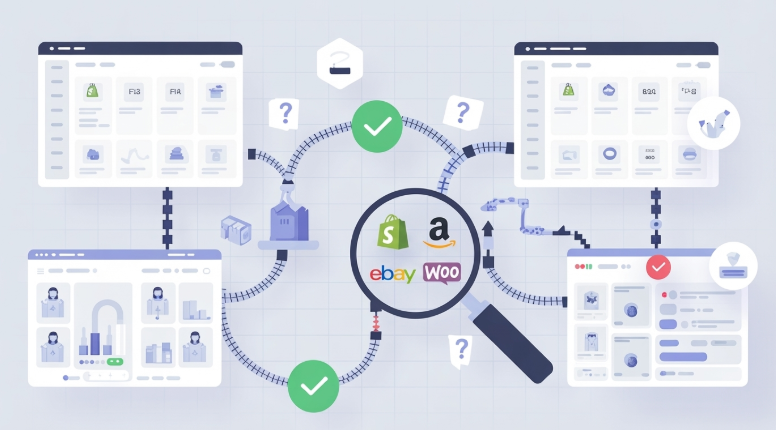
That is what makes silent data sync gaps so risky in ecommerce. They are easy to miss, difficult to trace, and often discovered only during reconciliation or month-end close. For businesses selling across multiple channels, a sync gap is not just a technical issue. It is a visibility problem that can affect reporting, inventory, and decision-making.
| If orders can vanish silently, how would you even know they were gone? Without a seamless sync between your ecommerce platform and accounting software, you'll only realize they're missing when inventory counts don't match or revenue gaps appear during reconciliation. |
If you’re a multi-channel seller or someone from the finance team who wants to understand what causes data sync gaps, why they matter, and how to detect and prevent them, you’re on the right page. Later in this blog, we’ll also discuss when automation becomes the more reliable fix.
What exactly does ‘data sync gap’ mean?
A silent data sync gap happens when orders, payouts, inventory updates, or related transaction data fail to sync completely between systems without a visible warning.
Instead of a clear failure message, the workflow appears to keep running. But behind the scenes, some data is skipped, delayed, or never recorded where it matters most.
Common signs include:
- Missing orders in accounting
- Payout totals that do not reconcile
- Inventory mismatches across systems
- Missing SKU or transaction detail
- Increased reliance on spreadsheets to patch gaps
Why is it painful:
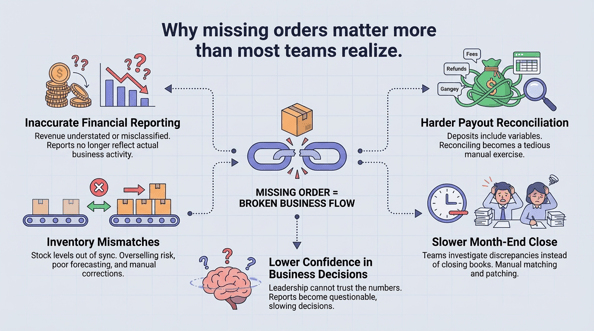
Why missing orders create bigger ecommerce problems
- If orders do not sync properly, revenue may be understated or misclassified
- If inventory updates are incomplete, stock counts drift
- If payout detail is missing, reconciliation becomes slower and more manual
- Month-end close also gets delayed due to missing transactions, validating balances, and correcting incomplete records
The situation it creates:
Without complete order-level data, finance teams are left matching payouts by hand. Over time, teams lose confidence in the numbers and spend more time investigating discrepancies than acting on insights.
Suggested read: Best Accounting Tools That Sync with QuickBooks Online: 2026 Integration Stacks
What causes orders and data to go missing?
Data sync gaps usually come from a few repeat issues.
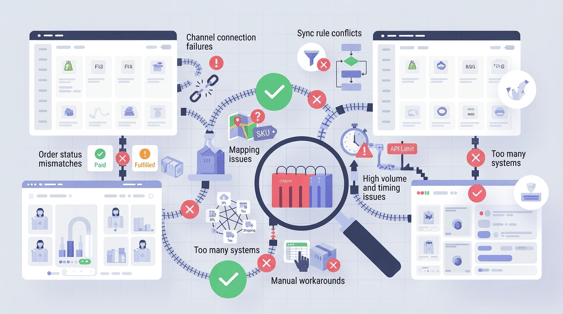
Hidden data sync gaps in multichannel ecommerce
1. Channel connection failures
APIs expire, credentials change, and permissions break. A connection may weaken without creating an obvious front-end warning.
2. Order status mismatches
Not every platform defines an order the same way. One channel may sync when an order is paid, while another waits until it is fulfilled or marked complete. If your sync logic depends on status conditions, valid orders can be skipped. This is especially common when platforms use different order and fulfillment states.
3. Mapping issues
SKU mappings, payment methods, tax settings, shipping methods, and account mappings all affect whether data lands correctly. Even one mismatch can prevent complete posting.
| 💡 Real-world example: Rareform, a recycled bags brand selling online and through 350 retail stores, had been juggling Excel and QuickBooks to map sales data. With Webgility, the team reduced busywork, improved visibility into its one-of-a-kind inventory, and made accounting more automated and efficient. |
4. Sync rule conflicts
Many businesses create filters and rules to control how data moves. That can be helpful, until those rules start excluding valid transactions.
For example, the system may only sync certain stores, order types, date ranges, or statuses. A change made months ago for one reason may now be causing missing data elsewhere.
5. High volume and timing issues
Peak periods expose weak workflows quickly. Promotions, holiday spikes, or marketplace surges can slow sync queues, creating delays and downstream reporting issues.
6. Too many systems in the workflow
In multi-channel ecommerce, order data often touches multiple tools before reaching the books, storefronts, marketplaces, shipping platforms, 3PLs, inventory tools, tax tools, and accounting software.
Every handoff increases the chance of broken logic, incomplete fields, or timing mismatches.
7. Manual workarounds
Once teams notice data gaps, they often start filling them manually. They import CSVs, update spreadsheets, adjust journal entries, or re-enter transactions. These fixes may solve the immediate issue, but they also create new risks: duplicates, inconsistencies, version-control problems, and even more uncertainty about the source of truth.
Can silent data sync gaps be solved manually?
Partly, yes. Reliably, no.
Teams can detect issues manually by comparing channel reports, exports, payouts, and accounting records. That can work as a short-term diagnostic step. But it does not scale well once order volume rises and more edge cases appear, including refunds, bundled products, partial fulfillments, and channel-specific fee structures.
Manual fixes also happen after the issue has already caused damage. By the time someone is downloading spreadsheets to patch missing records, reporting has already been affected and reconciliation has already become harder.
| 📝Note: Manual review can help catch problems. It is not a durable way to prevent them. |
Suggested read: The Solopreneur’s Guide to Ending Manual Accounting Systems
Use automation to close the data sync gap before reporting suffers
Preventing silent sync gaps starts with treating sync quality as something to monitor, not assume. Here are the practices that matter most:
1. Verify outcomes, not just job completion
A sync marked successful does not always mean data arrived correctly. If an active channel suddenly produces zero synced orders, that should trigger review.
2. Review order-status logic regularly
As channels, fulfillment models, and workflows evolve, outdated status rules can quietly exclude transactions.
3. Monitor payout freshness
Do not just confirm payout sync is enabled. Check whether the most recent payout pull is current enough for an active sales channel.
4. Audit mappings and exceptions
Review SKU mappings, payment methods, taxes, shipping logic, and posting rules regularly. Small setup issues often become big reconciliation problems later.
5. Track sync integrity as a business metric
Data completeness, exception volume, and sync delays should be treated as operational metrics, not just support issues.
6. Reduce unnecessary handoffs
The more systems involved, the more fragile the process becomes. Simplifying the flow from order source to accounting reduces failure points.
This is where automation starts to matter. When order, payout, and accounting data have to pass through too many disconnected tools, even small breaks in the workflow can create data sync gaps and force teams to rely on manual checks just to keep data moving. Reducing those handoffs with a more unified system makes sync more reliable, easier to monitor, and trust at scale.
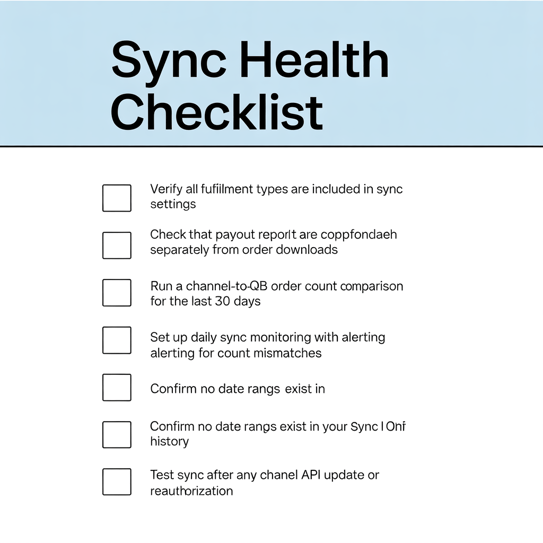
How Webgility helps prevent silent data sync failures
Most sync tools tell you when a job fails. The harder problem is when a job succeeds but the data is wrong, incomplete, or quietly excluded.
Here is a specific failure class Webgility is built to catch.
The scenario: A multichannel seller running Shopify and Amazon sets a sync rule months ago to exclude draft and pending orders. Reasonable at the time. But after a fulfillment workflow change, a portion of legitimate paid orders are now sitting in a status that matches the exclusion rule. The sync keeps running. No errors appear. Those orders never reach QuickBooks.
Without Webgility, this surfaces weeks later during reconciliation as a payout total that doesn't match, traced back manually across exports and journals.
With Webgility, the gap is visible before it compounds. When an active channel stops producing expected order volume, that deviation is surfaced as an exception, not buried in a clean sync log. The team can trace which orders were skipped, why they were excluded, and fix the rule before the next close cycle.
That is the difference between a tool that moves data and one that helps you trust it.
Webgility connects ecommerce channels directly to accounting in a single workflow, reducing the handoffs where data gets lost, surfacing exceptions before they become reconciliation problems, and keeping order and payout records aligned without spreadsheet patches in between.
The orders that vanished, and how to make sure yours don't!
The real risk in multichannel ecommerce is not just failed sync. It is an invisible failure.
When orders, payouts, or inventory updates go missing without a clear warning, the business keeps operating on incomplete information.
The solution is not more spreadsheets. It is building a workflow where data sync is complete, observable, and easier to verify. For growing ecommerce businesses, that means treating sync integrity as a core operational priority and using automation that helps prevent gaps before they become financial problems.
Go beyond sync. Build a workflow where order and payout data stay aligned, complete, and easy to verify.
| If your sync pipeline reports no errors, that's a necessary condition for trust, not a sufficient one. The absence of noise is not the presence of a signal. |
FAQs
What is a silent data sync gap?
It is when orders, payouts, or transaction data fail to sync between systems without a visible error or alert.
Why are missing orders hard to catch?
Because many sync issues do not appear as obvious failures. The workflow may look normal while some records are skipped in the background.
What are the common signs of a data sync gap?
Mismatched order counts, incomplete payout reconciliation, missing SKU detail, inventory inconsistencies, and spreadsheet-based fixes.
Can spreadsheets solve sync problems long term?
No. They can help patch issues temporarily, but they do not provide reliable prevention or scalable visibility.
.png?width=128&name=image%20(1).png)