
.png?width=32&height=32&name=image%20(2).png)
 March 31, 2026
 6 min read
Contents


|
Key Takeaways:
|
Here's a scenario that happens more often than most ecommerce sellers realize: your system flags an order as a duplicate and quietly drops it. Except it wasn't a duplicate, it was a real customer who bought the same product twice in the same day.
Now you have a missing transaction, an unfulfilled order, and a customer who's wondering why they never heard back from you.
That is the real challenge behind preventing duplicate purchase orders. You need controls that block true duplicates without suppressing legitimate repeat orders.
This guide breaks down why duplicate order detection goes wrong, how to spot false positives before they hurt customers, and how to tune your rules so you catch actual duplicates without killing legitimate orders.
Why duplicate purchase orders are more common than you think
When you sell on multiple channels like Amazon, Shopify, and your own website, every order needs to sync correctly to QuickBooks. To help avoid double posting, many systems use duplicate detection.
That sounds helpful. But sometimes it creates a new problem.
Most systems decide whether an order is a duplicate by looking at patterns like:
- customer email
- SKU
- order amount
- time of purchase
The issue is that real customers often place very similar orders on purpose.
For example:
- A customer buys the same item twice in one day
- A B2B buyer places the same recurring order every Monday
- Someone retries checkout a few minutes later with a small address change
To the system, those orders can look like duplicates even when they are real.
When that happens, the order may get skipped without anyone noticing. You only find out later when:
- the customer asks where their order is
- the order never gets fulfilled
- your month-end reconciliation shows missing transactions
So the real problem is not duplicate detection itself. The problem is when the rules are too broad and end up blocking good orders along with actual duplicates.
How to spot false positives before they become expensive
False positive detection is tricky to spot because the system is doing exactly what it was configured to do. There's no error message. No failed sync alert. The order just disappears. Here's what to look for:
1. Customer complaints about unfulfilled orders
The customer ordered, paid, and received a confirmation from the channel. But your system dropped the order because it matched the duplicate criteria. From the customer's perspective, you took their money and went silent.
2. Order count gaps between your channel and QuickBooks
If your Shopify dashboard shows 312 orders last month and QuickBooks shows 307, that five-order gap isn't necessarily a sync failure, it may be your duplicate filter doing its job incorrectly. These two numbers should always match.
3. B2B customers with recurring orders getting skipped
Wholesale and B2B accounts that place standing orders on a predictable schedule are especially vulnerable. Same line items, same customer, same day of the week, that triggers duplicate detection almost every single time.
4. A skip log full of orders that look legitimate
If your integration has a duplicate skip log, review it regularly. Most sellers who do this for the first time are surprised by how many real orders are sitting in it.
Suggested Read: How to Fix Shopify Payouts That Don’t Reconcile in QuickBooks
Why real orders keep getting flagged as duplicates
Duplicate detection is a trade-off between catching real duplicates and accidentally killing real orders.
- Matching rules are too broad. Matching on customer email + SKU alone is a blunt instrument. It catches duplicates, yes, but it also catches any customer who buys the same product twice, which is entirely normal behavior
- Time windows are too wide. A 24-hour deduplication (dedup) window means any same-customer, same-product order placed within a day gets flagged. That's a lot of legitimate repeat purchases disappearing
- Channel-specific order IDs don't always propagate. Every channel, Shopify, Amazon, WooCommerce, assigns a unique order ID to every transaction. That ID is designed to be unique by definition. But when it gets lost in translation during the sync, the system falls back to fuzzy matching, which is where false positives breed
- Manual corrections create a vicious cycle. When someone manually fixes a skipped order by re-creating it in QuickBooks, they sometimes bypass the dedup check. That creates an actual duplicate, which then causes the system to tighten detection rules, which catches more false positives. Over time, the problem compounds itself
Suggested Read: How Manual Orders Break Accounting Sync and Tax Accuracy
The real cost of a false positive
A skipped legitimate order isn't just a fulfillment problem. It cascades:
- Revenue leakage. The customer was charged. You never fulfilled. That's a chargeback or refund waiting to happen, and it's coming out of your pocket.
- Inventory inaccuracy. If the order never posted to QuickBooks, your inventory counts are off. You think you have more stock than you do.
- Customer trust. The customer got an order confirmation from the channel. They're expecting delivery. When nothing shows up, they don't think "duplicate detection error," they think you're unreliable.
- Reconciliation headaches. Your channel shows X orders. QuickBooks shows X minus a few. Tracking down why those numbers don't match takes hours you don't have.
Suggested Read: How to Prevent QuickBooks Reconciliation Discrepancies: A 2026 Guide
How to fix duplicate detection yourself
If you want to audit your rules and recalibrate sensitivity manually, here's a systematic approach:
Step 1: Pull your duplicate skip log for the last 30 days. Cross-reference every flagged order against your channel. Identify which ones were legitimate purchases that should have been posted. This gives you the real scope of the problem.
Step 2: Switch to order ID as your primary matching key. Channel order IDs are unique by design, that's the whole point of them. Stop matching on customer email + SKU as the primary signal. Use those fields only as secondary checks.
Step 3: Tighten your time window. A 24-hour dedup window is almost always too wide. For order ID-based matching, 15 minutes is usually enough to catch true duplicates (retry submissions, double-clicks at checkout). Keep a wider window only for fuzzy matching, and monitor it closely.
Step 4: Whitelist B2B accounts with recurring orders. If you have wholesale customers who place identical orders on a regular cadence, they need to be excluded from standard duplicate detection. Either whitelist them entirely or apply order-ID-only matching to those accounts.
Step 5: Test both scenarios. Before calling it done, run a test with a known duplicate (same order ID submitted twice) and a known legitimate repeat purchase (same customer, same SKU, two separate order IDs). Verify that the first is caught and the second posts cleanly.
How Webgility prevents duplicate purchase orders automatically
Webgility uses the channel-assigned order ID as the primary deduplication signal. Not email. Not SKU. The unique identifier that the channel itself guarantees is unique. Besides, it helps you in:
1. Preventing the duplicate order from syncing twice
Webgility includes duplicate-order handling workflows designed to prevent the same order from being processed multiple times. For example, Webgility supports a Merge Duplicate Orders workflow for cases where the same sale may be downloaded from both a sales channel and a connected shipping or inventory app. This helps reduce duplicate records while keeping order data cleaner across systems.
2. Giving you visibility into what happened during sync
One of the biggest challenges with duplicate order issues is not knowing why an order was posted twice or why a sync behaved unexpectedly. Webgility helps by providing order history and troubleshooting visibility so users can trace sync behavior, review what happened, and identify likely causes behind duplicate-related issues.
3. Making troubleshooting and correction easier
If duplicate order problems do occur, Webgility provides documented troubleshooting steps for common causes such as repeated downloads, unsynced updates, overlapping manual and scheduled actions, or multiple active extensions. That makes it easier for teams to investigate issues and fix them.
Real-world example
The Hunter Company, a leather goods manufacturer on Shopify and QuickBooks Desktop, faced exactly this, SKU duplication, manual entry errors, and orders that didn't reconcile. With Webgility, they eliminated double entry, automated order accuracy across channels, and saved thousands of hours.
Prevent duplicate purchase orders the smarter way
Preventing duplicate purchase orders isn't just a technical setting, it's a trust problem. A real customer placed a real order, paid real money, and your system quietly dropped it. That's not a sync issue. That's a blind spot.
The fix starts with going beyond sync, using order IDs, not behavioral patterns, as your source of truth. Once you stop guessing which orders are legitimate and let the data decide, your books stay clean, your customers stay happy, and your QuickBooks actually reflects reality.
Tools like Webgility are built for exactly this, so exceptions get handled, not hidden.
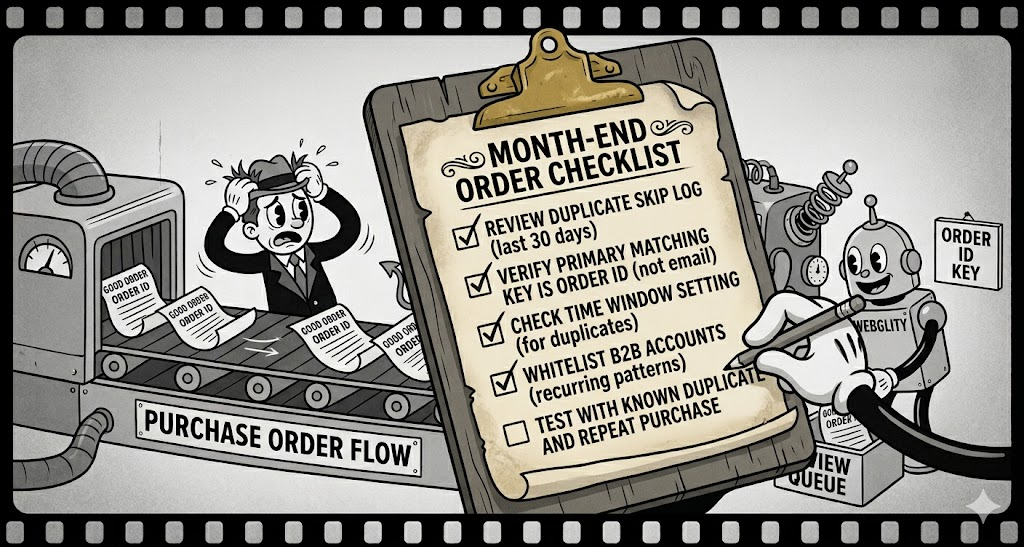
A visual reminder to review duplicate-detection settings at month-end so real repeat orders are not mistakenly skipped.
FAQs
What’s the best matching criteria for duplicate detection?
Channel order ID is the gold standard. It’s unique by design. Avoid matching on customer email + SKU alone, that catches repeat purchases.
How do I recover orders that were incorrectly skipped?
Find them in your dedup skip log, verify they’re legitimate, and manually re-import or create them in QB. Then adjust your matching rules to prevent recurrence.
.png?width=56&height=56&name=image%20(2).png) Monika Tripathi
Monika Tripathi


.png?width=24&height=24&name=image%20(9).png) Nikita Sikri
Nikita Sikri

