
.png?width=32&height=32&name=image%20(9).png)
 June 27, 2026
 5 min read
Contents


|
Key Takeaways:
|
You check your bank account and see a $2,847.32 deposit from your ecommerce payment gateway, but your accounting system shows $3,200 in payments. That gap usually comes from processing fees, chargebacks, and settlement timing your system is not capturing.
As payment volume grows, these discrepancies become harder to ignore. Stripe says businesses on its platform generated $1.9 trillion (Source) in total payment volume in 2025, up 34% from 2024, showing just how much payment activity ecommerce businesses now need to track accurately.
In this guide, we’ll show you how to spot settlement discrepancies early, understand why they happen, and fix them before they distort your cash flow and reporting.
How to spot settlement discrepancies early
Before you can fix the problem, you need to recognize it. Here are the signals that almost always point to a settlement discrepancy issue in your ecommerce business:
1. Bank deposits do not match payment totals
This is the most obvious sign. Your ecommerce payment gateway deposits are consistently lower than the payment totals recorded in accounting. The difference may be small at first, but over time it can add up to hundreds or thousands of dollars.
2. Settlement reports show deductions your books do not
Your processor statements include fees, chargebacks, rolling reserves, or adjustments, but those amounts are missing from your accounting records. The result is that your books reflect gross activity while your bank receives net payouts.
3. Reconciliation is eating your team's time
If your bookkeeper or accountant is spending 4–8 hours a month matching bank deposits to sales records, that's a clear sign your system isn't doing the heavy lifting it should be.
4. Cash flow projections feel unreliable
You know sales are happening, but you still cannot predict when the money will actually land in your account. That makes it harder to plan inventory purchases, vendor payments, payroll timing, and short-term cash needs. When you can't trust your numbers, you're making inventory and operational decisions in the dark.
5. Chargebacks and refunds seem to appear “out of nowhere”
When a chargeback or refund is deducted from a later payout instead of being tied back to the original sale, it creates confusion. Without proper settlement tracking, these reductions can look like missing money.
That uncertainty matters because returns and reversals are not rare edge cases. The National Retail Federation estimates that 19.3% of online sales will be returned in 2025, creating even more pressure on merchants to track net settlements, adjustments, and timing differences correctly.
Why payment gateway discrepancies keep happening
Payment gateway settlement discrepancies are not random. They are a direct result of how an ecommerce payment gateway actually moves money:
1. Timing mismatches are built into the system. Payment processors batch settlements daily, but your sales happen throughout the day. A transaction at 11 PM may not settle until two days later. If your accounting system records the sale at the time of the transaction but doesn't track when the money actually arrives, you're perpetually out of sync.
2. Fees are deducted before deposit, but your books often record gross amounts. Your ecommerce payment gateway deducts processing fees from the gross transaction amount before sending you the net. If your accounting system records the original sale amount without capturing those deductions, the math will never work.
3. Chargebacks and refunds hit future settlements, not the original transaction. A customer disputes a $150 charge from three weeks ago. Your processor deducts that amount, plus a chargeback fee, from tomorrow's settlement. If your accounting system doesn't match that deduction back to the original transaction, it looks like money just vanished.
4. Multiple payment methods have different settlement schedules. Credit cards, ACH transfers, PayPal, and buy-now-pay-later all move on different timelines. That lack of synchronization creates a constantly shifting reconciliation target.
5. Integrations sync transactions but not settlements. This is the core technical issue. Most ecommerce integrations are built to move order data into your accounting system.
They're not built to sync settlement data, the fees, timing adjustments, and net deposit amounts that live inside your processor's reporting dashboard. Without that second layer of data, your books will always be incomplete.
Suggested Read: How to fix Inventory Discrepancies and SKU Mismatches
What this is actually costing you
Settlement discrepancies create both immediate operational costs and long-term financial risks:
1. Accounting staff spending 4-8 hours monthly on manual reconciliation instead of strategic financial analysis.
2. Inaccurate cash flow forecasts leading to poor inventory purchasing and operational decisions.
3. Delayed month-end closes because payment reconciliation becomes a bottleneck.
4. Audit complications and potential compliance issues when financial records don't match bank statements.
5. Lost early payment discounts from suppliers due to cash flow uncertainty.
How to fix it: Manual reconciliation
While not scalable long-term, you can manually reconcile payment gateway settlements with these steps:
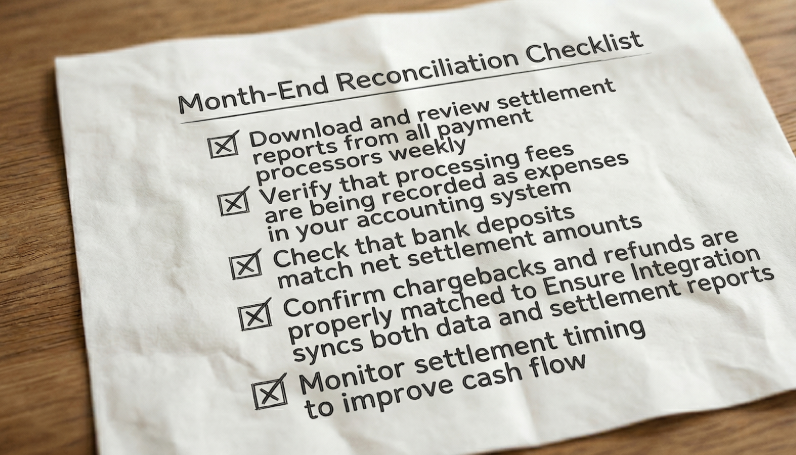
Step 1: Download settlement reports daily. Log into each payment processor, Stripe, PayPal, Square, or whichever ecommerce payment gateway you use, and pull detailed settlement reports. These show gross payments, all deductions, and the net amount deposited. Don't rely on summary views; you need the line-item detail.
Step 2: Build a reconciliation spreadsheet. Create a worksheet that maps settlement dates to bank deposit dates, accounting for processing delays and batch timing. Your goal is to see, line by line, what was processed versus what landed in your account and when.
Step 3: Record fees and adjustments separately. This is where most ecommerce businesses fall short. Processing fees, chargeback fees, and other deductions need their own journal entries. Your books need to reflect net deposits, not just gross sales.
Step 4: Use a two-step recording process. Record sales when they occur. Then create separate entries when settlements are deposited to capture the timing difference between earning revenue and receiving it. This distinction matters for both accurate reporting and cash flow forecasting.
This works. But it's also exactly the kind of task that shouldn't be consuming your team's time at scale.
Suggested Read: Gross vs. Net: The Fees Your Books Are Missing
Automated settlement tracking: The scalable fix
The goal of automation isn't to skip reconciliation, it's to make reconciliation something your system handles instead of your people.
- Configure settlement-based accounting. Your integration should sync transaction data, fees, timing differences, and net deposit amounts, not just orders. Webgility syncs full settlement reports from every connected channel and posts journal entries only once settlement data is available
- Map every fee category. Processing fees, chargebacks, refund adjustments, reserve holds, each should post automatically to the right expense account. Webgility lets you configure deposit and expense accounts per gateway and fee category, so nothing waits for someone to find it in a report
- Automate bank deposit matching. Webgility matches payments, fees, and refunds to the corresponding bank deposits automatically. Clean matches go through. Discrepancies get flagged for review
- Set up real-time settlement monitoring. Webgility surfaces mismatches and exceptions as they happen, not at month-end. Reconciliation becomes a monitoring task, not a fire drill
See it in action
Red Bay Coffee, an Oakland-based specialty coffee roaster selling across Amazon, Shopify, and Square, was struggling to manage transaction processing and financial data across multiple sales channels.
Reconciling payouts and keeping books current was a constant drag on the operations team. After implementing Webgility, all sales channels were integrated and transaction processing was fully automated, allowing the team to close their books faster and redirect focus toward growing the business.
What to do next
Payment gateway settlement discrepancies don't fix themselves, but they don't have to be a permanent problem either. Once your ecommerce payment gateway data flows cleanly into your books, reconciliation stops being a monthly burden and starts running in the background automatically.
That's what going beyond sync actually looks like: not just moving data, but making sure the right data, fees, timing, chargebacks, net deposits, lands in the right place.
Stop guessing what's in your bank account and why. Webgility is built to give ecommerce businesses exactly that clarity, automatically reconciling settlements, explaining every deposit, and keeping your books audit-ready.
FAQs
How do I handle chargebacks in my accounting system?
Record chargebacks as a reduction in revenue when they occur, and record any associated fees as expenses. The chargeback amount will be deducted from future settlements automatically.
Should I record sales when the transaction happens or when I receive the money?
For accrual accounting, record sales when the transaction occurs, then separately track when funds are received. For cash accounting, record when funds are deposited to your bank account.
What's the best way to track processing fees across multiple payment methods?
Create separate expense accounts for each processor (Stripe fees, PayPal fees, etc.) and either record them manually from settlement reports or use integration software that automatically categorizes fees.
.png?width=56&height=56&name=image%20(9).png) Nikita Sikri
Nikita Sikri


.png?width=24&height=24&name=image%20(9).png) Nikita Sikri
Nikita Sikri

