.png?width=96&name=image%20(9).png)
|
Key takeawas-
|
Let’s assume a scenario where your orders are pouring in and your Shopify dashboard has never looked better. But behind those numbers, bestsellers are selling out, discounts are eating into your margins, and payouts don't match what lands in your bank.
You're selling more than ever, but are you actually making money? No, right? It seems that your biggest Black Friday weekend turns out to be your least profitable one.
Over BFCM 2025, Shopify merchants sold a record $14.6 billion, up 27% from the year before. At the peak, sales hit $5.1 million per minute, and more than 94,900 merchants had their biggest sales day ever on Shopify.
But every order adds fees, taxes, refunds, and inventory movements to track. When these pile up, unreconciled payouts and stock discrepancies quietly lower down your profits, leaving January for cleanup.
In this blog, we’ll deep dive into the 7 steps to make sure BFCM 2026 brings higher profits for Shopify merchants, not just high sales.
The accounting and inventory challenges Shopify sellers face during BFCM
Peak volume rarely creates new accounting problems. It multiplies the small ones you already have, and these seven of them show up every year.
- You don't know which products to discount. Sales live in Shopify, costs in a spreadsheet, and fees in payout reports, so margin by SKU stays unclear
- Reorders are guesswork. Without sell-through data by SKU, it's hard to know how much to buy before suppliers' holiday cutoffs. Overbuy and cash is tied up; underbuy and bestsellers sell out Friday morning
- Your inventory is scattered. Warehouses, retail stores, 3PLs, and sales channels each show a different count. One location sells out while another sits on the same SKU, and oversells slip through
- Your books fall behind. Manual entry that works on a normal Tuesday can't keep up when orders multiply. Restock and cash decisions then run on stale numbers
- Payouts don't match your bank. One Shopify payout can bundle hundreds of orders, net of fees, refunds, and chargebacks, making it hard to confirm you were paid correctly.
- Tax and currency exposure grows quietly. Holiday volume can push you past economic nexus thresholds in new states. And 16% of Shopify's BFCM orders last year were cross-border, each with its own currency and conversion
- You can't tell what you actually made. Fees, shipping, and refunds scale with volume, and returns reverse sales into January, so real margin stays a mystery
That's why preparing your finances matters as much as preparing your storefront.
Suggested read: Top BFCM marketing strategies you should know
How to prepare your Shopify store for BFCM 2026: 7 steps
Seven steps get your books and inventory ready for BFCM 2026, from now through January. Each one is covered in detail below.
Step 1: Forecast BFCM inventory using SKU-level sales data
Before placing a large BFCM purchase order, identify which products are worth restocking. Your bestselling SKUs aren't necessarily your most profitable ones, especially after discounts, fulfillment costs, ads expense, and returns.
For example, you sold 500 jackets last BFCM, but 300 were black, size medium. Ordering equal quantities of every variant this year could leave you with excess stock and missed sales.
Review your BFCM 2025 sales and recent Shopify performance, focusing on:
- Sales velocity: Which SKUs sold fastest?
- Profitability: Which products delivered the highest margins?
- Return rates: Which products were returned most frequently?
- Replenishment: How quickly can suppliers restock?
- Available inventory: What's already in stock or on order?
If you also sell on Amazon or Walmart, factor in demand from those channels before allocating stock to Shopify.
BFCM takeaway: Stock products based on profitability and demand, not just last year's revenue alone.
Step 2: Reconcile Shopify inventory before the first BFCM order
Reconcile inventory by matching Shopify counts against physical stock and QuickBooks before promotions go live. If Shopify shows 200 units, your warehouse has 175, and QuickBooks shows another number, BFCM turns that gap into oversells, cancellations, and inaccurate COGS.
Therefore, before the rush:
- Match Shopify inventory with physical stock and QuickBooks.
- Verify SKUs, variants, and warehouse locations.
- Flag damaged, obsolete, or unsellable inventory.
- Test how sales, returns, and adjustments update stock.
BFCM takeaway: Inventory and accounting records should match before orders spike.
Step 3: Calculate how much discount your margins can afford
A BFCM discount is affordable only if contribution profit stays positive after COGS, payment fees, shipping, and advertising. 20% off looks great until you see what's left.
Consider a $100 product sold at 20% off:
|
Product economics |
Amount |
|
Selling price after discount |
$80 |
|
COGS |
−$60 |
|
Payment processing fees |
−$4 |
|
Shipping and fulfillment |
−$8 |
|
Advertising cost |
−$12 |
|
Contribution profit |
−$4 |
Despite generating an $80 sale, you're losing $4 before other operating expenses.
Before launching promotions, calculate SKU-level margins, test different discount scenarios, and factor in COGS, advertising, shipping, and payment fees.
Don't rely on ROAS alone. A campaign can generate revenue without generating profit.
BFCM takeaway: Set discounts based on how much profit you can afford to give up.
Step 4: Plan cash flow around inventory purchases and Shopify payouts
Plan BFCM cash flow around when money reaches your bank, because supplier, ad, and fulfillment bills often come due before Shopify payouts arrive.
Build a weekly cash flow forecast covering:
- Inventory purchases and supplier payment deadlines
- Advertising and fulfillment expenses
- Expected Shopify payout amounts and dates
- Refunds, taxes, and operating reserves
For example, your store makes $40,000 on Black Friday, but a $20,000 supplier payment is due Monday. If payouts arrive Wednesday, you still need cash to cover that bill.
BFCM takeaway: Plan spending around when cash arrives, not when orders are placed.
Step 5: Set up Shopify payout reconciliation before orders spike
Shopify payout reconciliation means matching each bank deposit to the orders, fees, refunds, and adjustments inside it, because Shopify sales and Shopify payouts aren't the same number.
Say your dashboard shows $10,000 in sales, but $9,000 reaches your bank. The $1,000 gap could be $300 in payment fees, $500 in refunds, and $200 in other adjustments.
Before BFCM, make sure your accounting workflow can:
- Record sales, taxes, discounts, and processing fees accurately
- Track refunds and adjustments without duplicate entries
- Match Shopify payouts to QuickBooks and bank deposits
- Flag failed transactions and unreconciled amounts
BFCM takeaway: Don't just sync transactions, make sure every payout can be explained.
Step 6: Prepare for refunds, returns, and edited orders
BFCM revenue isn't final when Cyber Monday ends: cancellations, partial refunds, and returns keep changing revenue, taxes, inventory, and COGS for weeks. If Shopify reflects these changes but QuickBooks doesn't, your books show the wrong sales and stock.
For example, a customer orders two $60 products, then cancels one before shipping. If QuickBooks still records $120, revenue is overstated by $60 before any tax adjustments.
Before BFCM, test how your accounting handles:
- Order edits and cancellations
- Partial and full refunds
- Returned inventory and COGS adjustments
- Refunds processed after the original payout
BFCM takeaway: Track the entire order lifecycle, not just the initial sale.
Step 7: Monitor inventory, profitability, and reconciliation
Review inventory, margins, sync errors, payouts, and refunds every day during BFCM instead of waiting for month-end. Small discrepancies caught daily stay small until they compound into month-end for hours of cleanup.
Therefore, monitor these metrics at least once a day throughout the holiday shopping season, from BFCM in November through Christmas and New Year’s in December.
- Inventory: Low-stock SKUs and quantity mismatches
- Margins: Products losing money after discounts and fees
- Orders: Failed syncs, unmapped products, and edited transactions
- Payouts: Unmatched deposits and unexpected deductions
- Refunds: Return volumes and their revenue impact
After Cyber Monday, compare results against forecasts, identify your most profitable SKUs, evaluate promotional ROI, and keep tracking returns and payout adjustments through January.
BFCM takeaway: Measure success by reconciled profit and cash flow, not weekend revenue.
Suggested read: Optimize Accounting for Black Friday Cyber Monday Sales
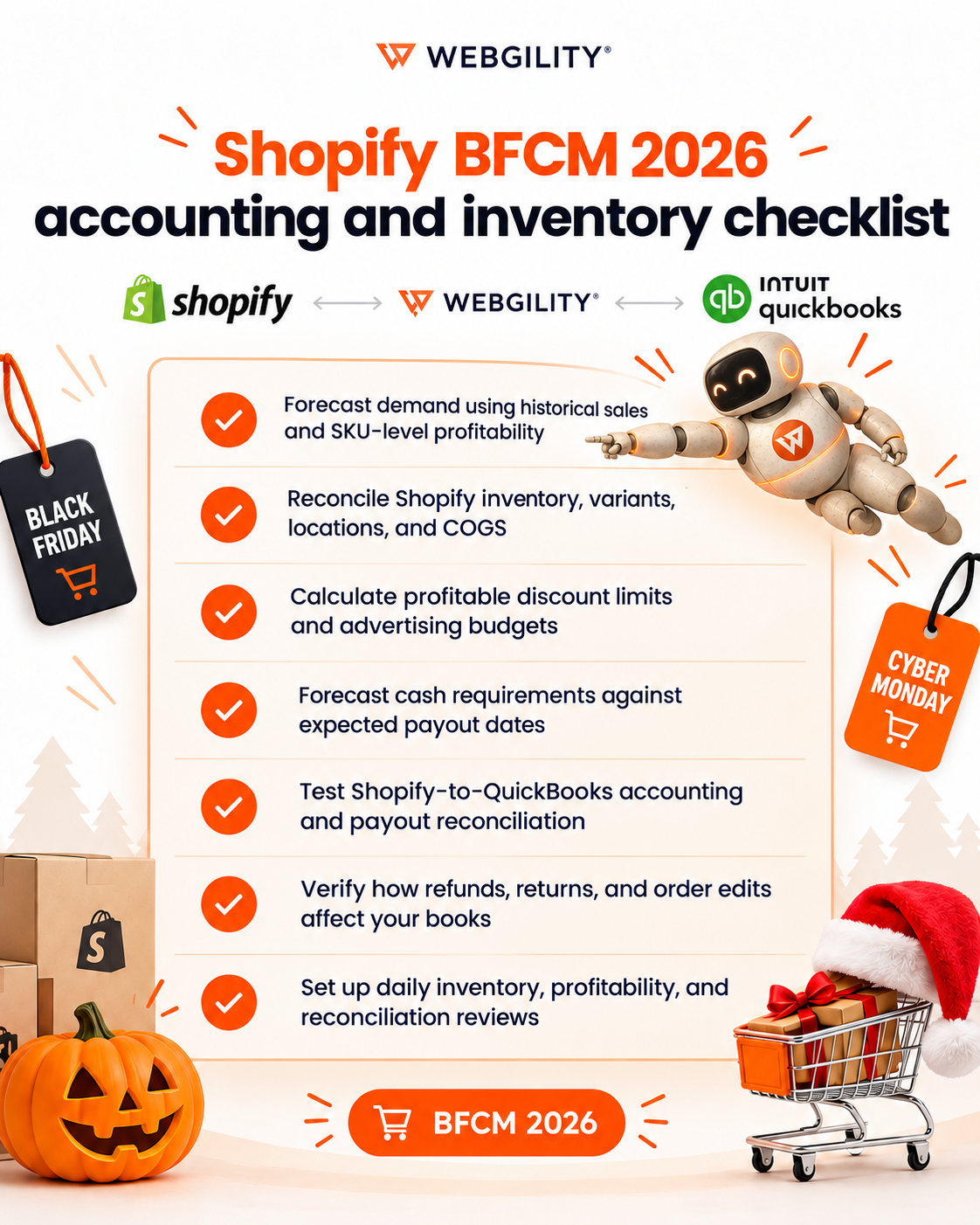
Shopify BFCM 2026 accounting and inventory checklist
Before launching your Black Friday promotions, make sure you tick all these boxes:
How Webgility helps Shopify sellers prepare for BFCM 2026
Preparing for BFCM is one challenge. Keeping inventory and accounting accurate when thousands of orders arrive is another.
Webgility connects Shopify with QuickBooks, helping sellers automate transaction recording, maintain accurate records, and reconcile what they sell with what reaches their bank account.
Here are some Webgility features that are especially relevant during BFCM.
1. Keep inventory accurate as orders spike
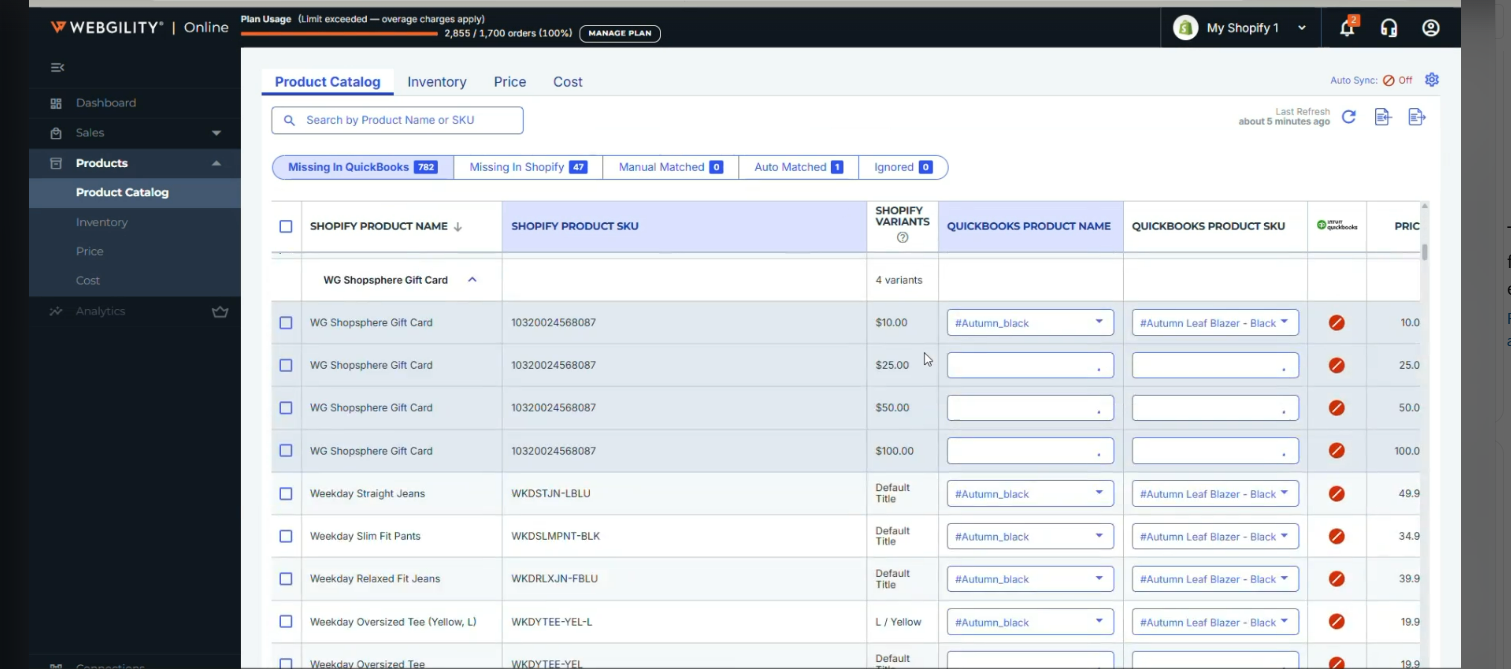
Selling hundreds of products in different sizes and colors? Webgility helps match Shopify product variants with the right QuickBooks items and keeps supported inventory quantities, and prices in sync. That means fewer manual updates and inventory discrepancies during peak sales.
2. Know how much your BFCM promotions are costing you
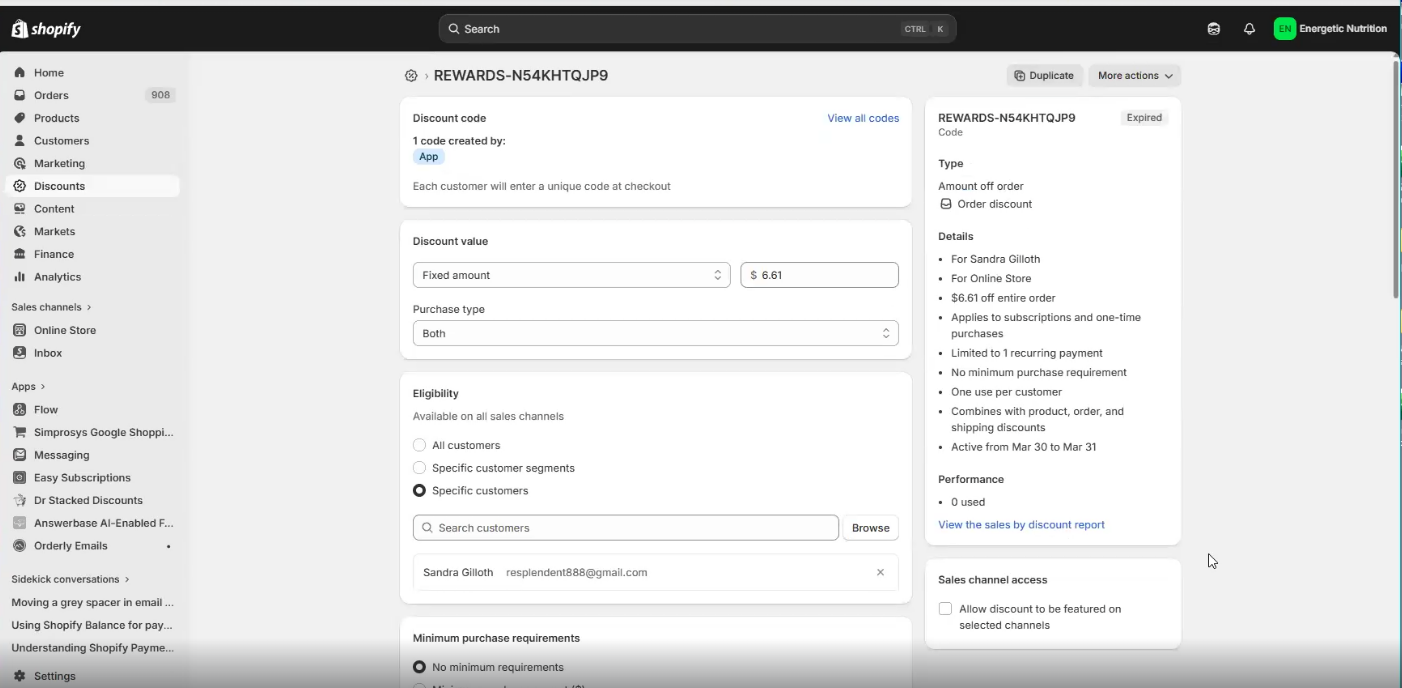
Running multiple discount codes and promotions? Webgility records discount details and payment processing fees in QuickBooks, making it easier to account for promotional costs and understand how much revenue you're actually keeping.
3. Make sense of every Shopify payout
What if your Shopify sales show $10,000, but only $9,000 reaches your bank account? Webgility helps account for processing fees, refunds, and adjustments and match Shopify deposits with QuickBooks, so you're not spending hours figuring out where the difference went.
4. Keep refunds and order changes from breaking your books
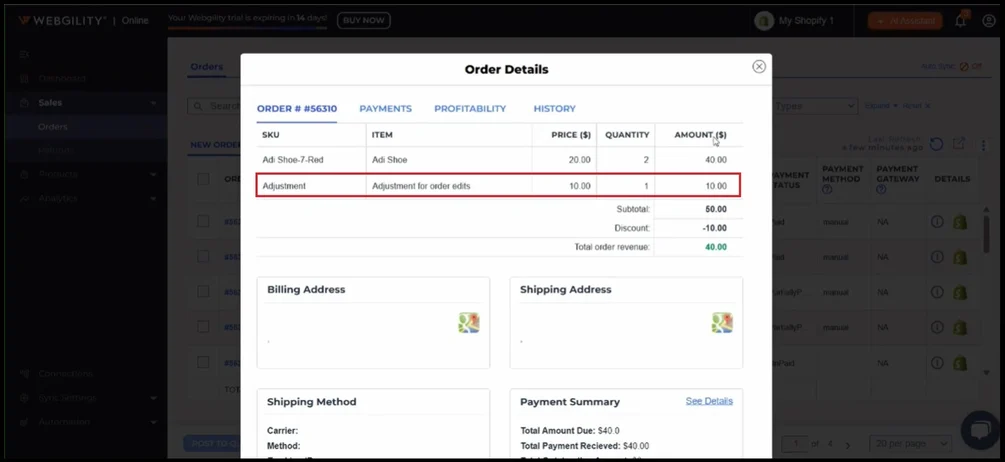
Order changed or refunded after Cyber Monday? Webgility maps Shopify products and variants to the correct QuickBooks items and reflects supported order edits and refunds, reducing posting errors, duplicate entries, and manual corrections.
5. Get expert support when BFCM gets overwhelming
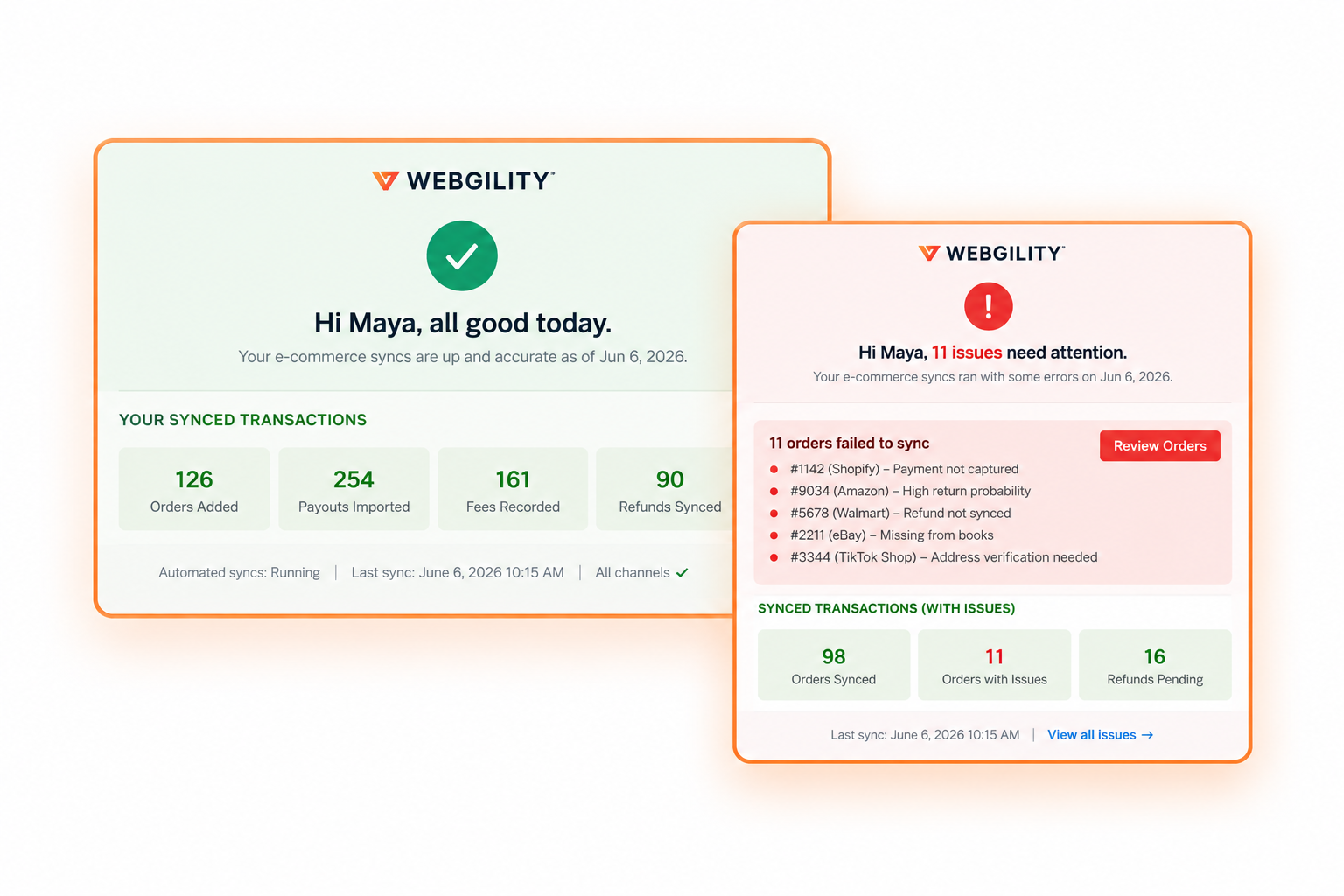
Thousands of holiday orders can bring unexpected challenges. Webgility combines automation with dedicated ecommerce accounting experts who help resolve discrepancies, keep your books reconciled, and make sure you're not left handling the holiday rush alone.
Make Shopify BFCM 2026 your most profitable season, not just your busiest!
A successful BFCM isn't measured by order count or the revenue in Shopify. It's measured by the profit those orders generate, how accurately inventory is tracked, and how confidently you can reconcile every payout.
Prepare your inventory, understand your margins, forecast your cash, and get your accounting ready before demand peaks. Selling more is only half the equation; knowing what you actually earned is what matters.
Want to keep your Shopify accounting accurate during BFCM and beyond? Book a Webgility demo to see how order-level automation, reconciliation, and human-backed support can help.
Shopify BFCM FAQs
When is Shopify BFCM 2026?
Black Friday is November 27, 2026, and Cyber Monday is November 30, 2026. Many brands start promotions earlier in November.
Why doesn't my Shopify payout match my sales?
Shopify payouts are net of processing fees, refunds, chargebacks, and adjustments, and one payout can bundle hundreds of orders. Reconciling each payout against its orders explains the difference.
How do I know if a BFCM discount is profitable?
Subtract COGS, payment fees, shipping, and ad cost per order from the discounted price. If the result is negative, the discount loses money on every sale
.png?width=128&name=image%20(9).png)