.png)

Product bundles increase average order value and move slow inventory faster. They sound simple until you try to manage them.
Suddenly, you are tracking component inventory across multiple SKUs, reconciling bundle revenue against individual product costs, and hoping your stock counts stay accurate after every sale.
Without the right setup, bundles create more problems than profit.
In this guide, you will learn how to create Shopify bundles that boost revenue, keep inventory accurate across components, and sync cleanly to your accounting system.
Why use Shopify bundles
Why do Shopify bundles work so well? Three proven psychological drivers are at play:
- Perceived savings prompt action: A phone case bundled with a screen protector feels like a smarter buy than purchasing separately
- Convenience reduces friction: One-click checkout for multiple items removes decision fatigue
- Value stacking increases willingness to pay: Customers justify spending more when they see grouped value
Top Shopify brands use bundles to outpace competitors and drive repeat purchases. However, capturing these gains requires the right products, pricing, and clean data across all channels.
Suggested read: Tips for Mastering Product Bundle Inventory Management
5 Shopify bundle mistakes that cost merchants thousands
Most bundle failures are preventable with the right process and systems.
Many merchants launch Shopify bundles, see AOV climb for a few weeks, then watch revenue stall. By then, hidden costs have already eroded margins. Here are the five most costly mistakes:
1. Inventory sync errors across channels
You create a bundle on Shopify that sells well, but your Amazon listing still shows stock already sold through the bundle. A customer orders from Amazon, and you cannot fulfill it. The result:
- Refund issued, sale lost
- Marketplace metrics damaged
- Customer trust eroded
- Manual reconciliation time wasted
Inventory mismatches can cost merchants thousands in lost sales and chargebacks. When Shopify bundles pull components from stock, your sync must be in real time and channel-wide.
Suggested read: 7 Best Ecommerce Inventory Management Software in 2026
2. Poor bundle fit (products customers do not want together)
A clothing retailer bundles winter coats with summer shorts to clear inventory. Customers ignore it, and the bundle sits while the coat alone would have sold.
Signs of poor bundle fit include:
- Conversion rate below 1%
- High cart abandonment on bundle pages
- Bundle inventory aging faster than components
- Customer feedback mentioning irrelevant pairings
Weak product combinations reduce conversion and create dead inventory that eventually gets marked down below cost.
3. Inaccurate pricing and margin erosion
You bundle two $25 items for $40, thinking you save customers $10 and keep a good margin. However, you may overlook:
- Payment processing fees on higher transaction values
- Increased shipping weight crossing rate thresholds
- Marketplace commission calculated on bundle price
- Return processing costs for partial bundle returns
The real profit might be $2 per bundle, when you needed $5 minimum to justify the effort.
4. No financial visibility into bundle performance
You track revenue, but not margin by bundle type or channel. This visibility gap leads to:
- Promoting your lowest-margin bundles most heavily
- Missing opportunities to scale profitable Shopify bundles
- Allocating ad spend to bundles that lose money
- Making inventory decisions based on incomplete data
Without SKU-level profitability data, you may optimize for volume instead of profit.
5. Multi-channel disconnects
Shopify, Amazon, and eBay each have different bundle logic. You cannot sync a bundle across channels reliably, so you maintain separate offers. This fragmentation creates:
- Double the operational effort
- Inconsistent pricing across channels
- Inventory conflicts causing overselling or stockouts
- Reporting headaches and manual reconciliation
Disconnected systems are a root cause for many bundle failures, especially for multi-channel sellers.
Suggested read: 3 Shopify Success Secrets for Omnichannel Retailers
Shopify bundle comparison: Fixed vs. mix-and-match vs. BOGO vs. tiered
Pick the bundle type that matches your goals and operations. Here is a side-by-side comparison:
|
Bundle type |
How it works |
Best for |
Inventory impact |
Operational complexity |
|
Fixed bundles |
Predefined products sold together as one bundle |
Clearing excess stock, gift sets, curated kits |
Simple to track but can mask individual SKU movement |
Low |
|
Mix-and-match bundles |
Customers choose items from a defined group |
Increasing AOV while offering flexibility |
Requires real-time SKU-level tracking |
Medium |
|
BOGO (Buy One, Get One) |
Free or discounted item added when criteria is met |
Driving volume and promoting specific Shopify SKUs |
Can quickly drain promoted inventory if not monitored |
Medium |
|
Tiered bundles |
Discounts increase as quantity thresholds are met |
Encouraging bulk purchases and upsells |
Needs accurate demand forecasting to avoid stockouts |
Medium to high |
Table 1: Shopify bundles compared
Multi-channel sellers must ensure bundle logic works across Shopify, Amazon, eBay, and other platforms.
Suggested read: Shopify Backorder Management: Manual or Automated
Step-by-step: Setting up and managing Shopify bundles
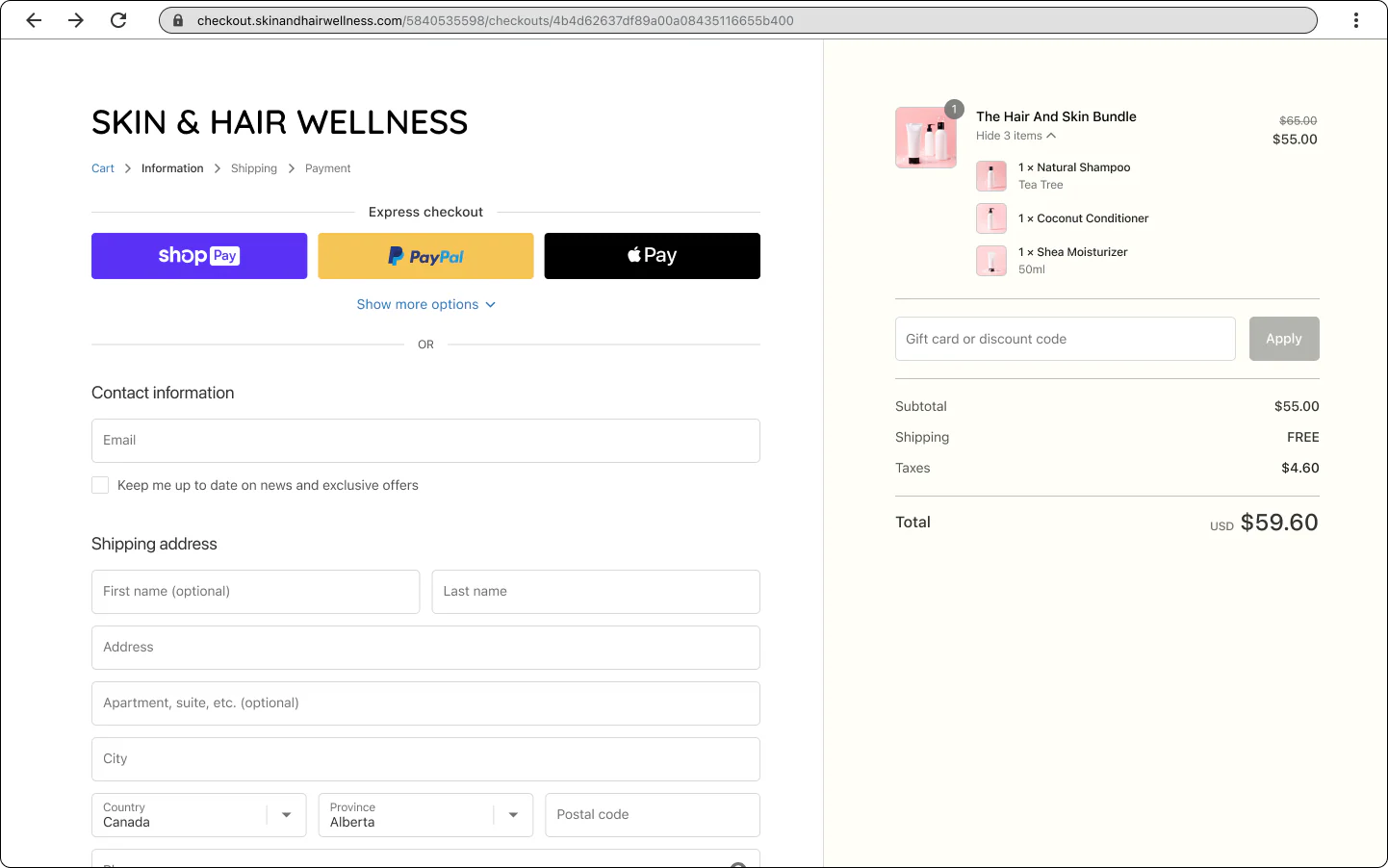
via Shopify Dev Docs
Alt text: Screenshot of a completed Shopify bundle during checkout
Follow these steps to build Shopify bundles that convert and stay profitable.
Step 1: Choose native Shopify bundles or app-based solutions
Native Shopify bundles are simple and free but limited in flexibility. Use apps like FastBundle or Bundle Builder for advanced options such as mix-and-match or tiered pricing.
Step 2: Set up bundle products in Shopify admin
Create a new product for your bundle, add clear images and descriptions, and link component SKUs for inventory tracking.
Step 3: Select and configure a bundle app if needed
Top-rated apps include FastBundle, Bundle Builder, and Bold Bundles. Choose based on your bundle type and channel needs.
Step 4: Structure SKUs for bundles
Decide whether to use a unique SKU for the bundle or track components individually. Accurate SKU mapping ensures inventory and accounting stay in sync.
Step 5: Price and merchandise your bundles
Name Shopify bundles clearly, use high-quality images, and highlight the savings or value. Test urgency tactics like limited-time offers.
Step 6: Address tax and shipping considerations
Bundles may affect tax rates and shipping costs. Check the tax settings and consult your Shopify accountant for compliance.
To keep inventory in sync across Shopify, Amazon, and eBay, use real-time inventory sync tools.
|
Checklist before launch:
|
How to calculate your Shopify bundle ROI
Use this worksheet to predict and validate your bundle ROI.
Inputs needed:
- Current average order value (AOV)
- Projected bundle adoption rate
- Bundle price and discount
- Cost of goods sold (COGS)
- Margin per bundle
ROI worksheet:
- Estimate your current AOV and monthly order volume.
- Set your bundle price and expected adoption rate (e.g., 20% of orders).
- Calculate the total revenue from bundles: (Bundle price x Bundle orders).
- Subtract Shopify COGS and any additional costs (shipping, fees).
- Compare margin per bundle to margin per non-bundle order
- Project monthly uplift: (Bundle margin x Bundle orders) - (Non-bundle margin × Same orders)
Clean data at the SKU level is essential for accuracy. Tools like Webgility provide real-time sales and profitability data to support Shopify inventory forecasting.
Suggested read: Shopify ABC Product Analysis for Inventory Management
Measuring and optimizing bundle performance
Track these metrics to know what works with your Shopify bundle, then iterate for growth.
Key metrics:
- Conversion rate on bundle pages
- Bundle AOV and margin
- Repeat purchase rate for bundled customers
- Refund and return rate
How to test and optimize:
- A/B test price points, bundle combinations, and messaging
- Segment results by channel (Shopify, Amazon, POS) for deeper insight
- Use Shopify inventory reports, Google Analytics, or unified analytics platforms for tracking
- Review performance weekly or monthly, and document learnings
Continuous measurement and iteration separate high-performing bundle strategies from the rest. Unified analytics and SKU-level reporting make margin-focused optimization possible.
How Webgility scales Shopify bundle operations
Webgility connects your ecommerce, marketplace, and accounting systems so you can scale bundles without manual chaos. It also makes it easier to launch and manage bundle promotions without worrying about stock discrepancies or bookkeeping errors.
Key capabilities include:
- Automated SKU mapping and bundle syncing across Shopify and other sales channels so bundles are accurately listed everywhere
- Real-time inventory deduction and updates when bundles sell, preventing overselling or stockouts
- Integrated accounting and cost tracking for bundle components in QuickBooks or Xero
- Centralized visibility into bundle performance, helping you refine offers based on real sales data
- Automated alerts for low stock and synchronization issues to keep operations running smoothly
Rugged Radios, a manufacturing and ecommerce brand selling both retail and B2B orders through Shopify Plus, adopted Webgility to fully automate sales and inventory data syncing with QuickBooks Enterprise.
With Webgility in place, manual labor for order processing and bookkeeping dropped dramatically, fulfillment accuracy improved, and the company could focus on serving both consumer and wholesale customers more efficiently.
Book a demo with Webgility today.
Frequently asked questions (FAQs)
1. How to create product bundles on an e-commerce platform?
You can create product bundles using built-in tools or a third-party app. Most platforms let you group multiple products into one listing, set bundle pricing, and manage inventory together. On Shopify, this is done either through the free Shopify Bundles app or bundle apps from the App Store.
2. Which Shopify bundle apps offer free trials?
Several Shopify bundle apps offer free trials or free plans, including Packer: Mix and Match Products, Bundly, Kefi Product Bundle Builder, Simple Bundles & Kits, and Mix and Match Bundle Builder. These let you test bundle features before upgrading to a paid plan.
3. Can I create mix-and-match bundles on Shopify?
Yes, but not with Shopify’s native Bundles app. To allow customers to choose different items within a bundle, you need a third-party mix-and-match bundle app from the Shopify App Store.
-3-1.webp)
-1.webp)