|
TL;DR
|
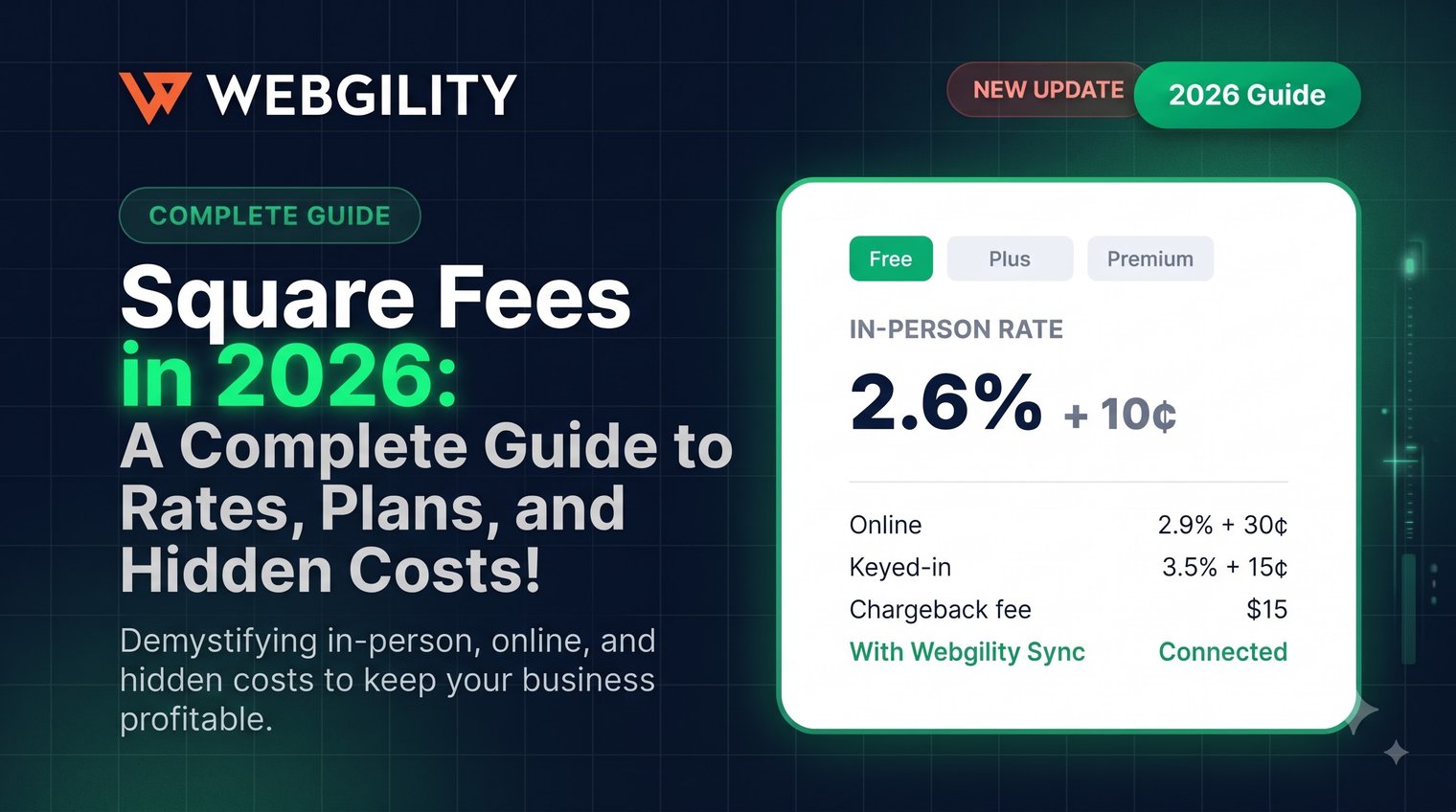
Square fees in the US are 2.6% + 15¢ for in-person card payments, 3.3% + 30¢ for online and invoice payments, and 3.5% + 15¢ for manually entered cards on Square Free, which costs $0 a month. However, Square Plus (49/month) and Square Premium ($149/month), each priced per location, lower the in-person and online rates.
Square replaced 18 separate subscriptions with these three plans in October 2025, so older guides quoting 2.9% + 30¢ for every online sale are out of date.
Square fees at a glance
Each card payment costs a percentage plus a fixed fee, set by how the card is taken and your plan.
|
Payment type |
Square Free |
Square Plus |
Square Premium |
|
In person (tap, dip, or swipe) |
2.6% + 15¢ |
2.5% + 15¢ |
2.4% + 15¢ |
|
Online store or invoices |
3.3% + 30¢ |
2.9% + 30¢ |
2.9% + 30¢ |
|
Online API |
2.9% + 30¢ |
2.9% + 30¢ |
2.9% + 30¢ |
|
Manual entry or card on file |
3.5% + 15¢ |
3.5% + 15¢ |
3.5% + 15¢ |
|
ACH bank transfer (invoice) |
1%, $1 minimum |
1%, $1 minimum, $10 cap |
1%, $1 minimum, $10 cap |
|
Afterpay |
6% + 30¢ |
6% + 30¢ |
6% + 30¢ |
|
Cards issued outside the US |
+1.5% |
+1.5% |
+1.5% |
|
Cash or check |
Free |
Free |
Free |
|
📒Note: Square calculates processing fees on the total charged, including sales tax and tips. Visa, Mastercard, American Express, and Discover carry the same standard processing rate for a given payment type, although additional international-card fees can apply. |
Square processing fees by payment type
1. In-person payments
Square charges 2.6% + 15¢ on Free, 2.5% + 15¢ on Plus, and 2.4% + 15¢ on Premium for eligible card-present transactions.
This includes contactless payments, chip cards, swipes, and Tap to Pay on supported devices. These rates apply when the customer's card is physically presented.
2. Online and invoice payments
Square online fees start at 3.3% + 30¢ on Free and drop to 2.9% + 30¢ on Plus and Premium.
These rates generally apply to Square Online purchases, payment links, and invoices paid by card online.
The exception: Payments processed through Square's qualifying Online Payments API cost 2.9% + 30¢ across all three plans.
3. Manual entry and card on file
Manually keyed transactions and payments using saved cards cost 3.5% + 15¢, regardless of plan.
Square charges more because the physical card does not need to be present, creating a higher risk of fraud than card-present transactions.
4. ACH, Afterpay, gift cards, and international cards
Other payment methods have different fees:
- ACH invoice payments: 1%, with a $1 minimum. Plus and Premium have a $10 cap; eligible API ACH payments have a $5 cap across plans.
- Afterpay: 6% + 30¢ per transaction.
- Square gift cards: 2.5% loading fee on Free and Plus; no loading fee on Premium.
- International cards: An additional 1.5% for cards issued outside the US.
|
Note: Eligible ACH payments deposited into Square Checking have no ACH processing fee. |
Square Free vs. Plus vs. Premium: Which plan saves more?
Square Plus pays for itself through lower rates once a location processes about $12,250 a month online or $49,000 a month in person.
|
Plan |
Monthly cost |
In-person rate |
Online rate |
Best for |
|
Square Free |
$0 |
2.6% + 15¢ |
3.3% + 30¢ |
New or low-volume sellers |
|
Square Plus |
$49 per location |
2.5% + 15¢ |
2.9% + 30¢ |
Growing sellers needing advanced tools |
|
Square Premium |
$149 per location |
2.4% + 15¢ |
2.9% + 30¢ |
High-volume sellers needing 24/7 support |
Plan prices: Square's October 2025 pricing announcement.
When does Square Plus pay for itself?
Compared with Free, Plus saves 0.4 percentage points on standard online payments and 0.1 percentage points on in-person payments.
That means the $49 monthly subscription breaks even at approximately:
- $12,250 in monthly online card sales, or
- $49,000 in monthly in-person card sales.
These calculations assume one location, the same transaction mix, and savings from processing rates alone.
Premium costs $100 more than Plus but saves another 0.1 percentage points on in-person payments. You would need approximately $100,000 in monthly in-person card sales to offset that difference through processing fees alone. Online rates are identical on Plus and Premium.
Other Square fees that affect your margins
Square's published processing rates aren't necessarily your only costs. Here are some other costs to consider when using Square:
1. Instant and same-day transfers
Square charges 1.95% to transfer eligible funds instantly or on a same-day schedule. Standard next-business-day transfers are free.
2. Refunds
Square does not return the original processing fee when you refund a customer.
3. Hardware
Square's hardware pricing includes a contactless and chip reader at $59, Square Terminal at $299, and Square Register at $899. Optional software and hardware add-ons can increase costs.
|
📒Note (What Square doesn't charge for): There are no separate activation, chargeback dispute-management, PCI compliance support, or early termination fees. However, businesses can still lose the disputed transaction amount if a chargeback is decided against them. |
How to calculate Square fees (with examples)
To calculate Square fees, multiply the total transaction amount by the processing rate, then add the fixed transaction charge.
|
Square fee = (Transaction amount × Percentage rate) + Fixed fee Net amount = Transaction amount − Square fee |
Here are examples using Square Free:
|
Transaction |
Square fee |
Net amount |
|
$100 in-person sale |
$2.75 |
$97.25 |
|
$100 online sale |
$3.60 |
$96.40 |
|
$100 manually entered sale |
$3.65 |
$96.35 |
|
$5 in-person sale |
$0.28 |
$4.72 |
Did you notice the $5 transaction? Although Square advertises a 2.6% in-person rate on Free, the additional 15¢ makes the effective processing cost 5.6%.
How much should you charge to receive $100 after Square fees?
For an in-person payment on Square Free:
|
Required charge = ($100 + $0.15) ÷ (1 − 0.026) = approximately $102.83 |
This estimates th price needed to retain $100 after processing fees, assuming no additional charges.
If you also sell on Amazon, remember to account for Amazon fees, including referral, fulfillment, and storage charges, when calculating your overall profit margins.
7 ways to lower your Square fees
- Compare Free and Plus based on your sales volume. Plus reduces standard online processing fees from 3.3% to 2.9%. Upgrade when the fee savings and added features justify the subscription.
- Evaluate Premium for high in-person volume. Its 2.4% card-present rate can be valuable when your transactions are consistently large enough to offset the higher monthly fee.
- Ask about custom processing rates. Square offers custom pricing discussions for businesses processing more than $250,000 annually.
- Avoid manually keying cards when possible. Accepting a card-present payment costs less than Square's 3.5% + 15¢ manual-entry rate.
- Check whether Online API pricing applies. Eligible API transactions cost 2.9% + 30¢ even on Square Free, compared with 3.3% + 30¢ for standard online payments.
- Offer ACH for suitable larger invoices. The 1% rate, subject to minimums and plan-specific caps, may cost considerably less than card processing.
- Use standard bank transfers. Free next-business-day transfers avoid the extra 1.95% charged for instant or same-day transfers.
The biggest savings usually come from choosing the right payment method and pricing plan for your actual transaction mix.
But reducing Square fees is only half the equation. You also need to make sure those fees are accurately recorded in QuickBooks so your sales, expenses, and bank deposits match.
Is there a way to record Square fees in QuickBooks (without manual reconciliation)?
Yes. Here’s the explanation with an example!
A $100 Square sale doesn't necessarily mean a $100 bank deposit.
After a $2.75 processing fee, Square deposits $97.25. Recording only that amount as revenue understates your gross sales and processing expenses.
To keep your books accurate, record gross sales separately, categorize processing fees as expenses, and reconcile net payouts against bank deposits.
As transaction volume grows, managing these entries manually becomes time-consuming, especially when you're selling on both Square and Shopify and need to account for Shopify fees alongside Square processing charges.
This is where ecommerce accounting automation can help. Webgility connects Square with QuickBooks, helping businesses track transactions, processing fees, refunds, and payouts while reducing manual accounting work.
 Explore how Webgility simplifies Square and QuickBooks accounting.
Square fees FAQs
How much does Square charge for a $100 transaction?
On Square Free, a $100 transaction costs $2.75 in person, $3.60 online, or $3.65 when manually entered.
Does Square charge a monthly fee?
Square Free costs $0 per month, Plus costs $49, and Premium costs $149 per location, excluding processing fees.
Does Square charge processing fees on sales tax and tips?
Square calculates processing fees on the total transaction amount, including applicable sales tax and tips.
Does Square refund processing fees when a customer returns an item?
No, Square retains the original processing fee when a transaction is refunded.
Does Square charge chargeback fees?
Square doesn't charge separate chargeback dispute fees.