Enter your details to watch

John May
Ecommerce Expert
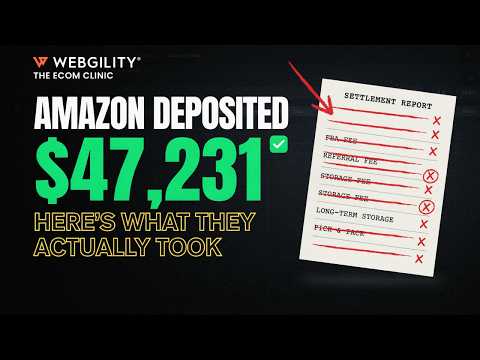
Amazon deposited $47,231. Here's what they actually took
That Amazon deposit hitting your bank account is only part of the story. Learn how to decode Amazon settlement reports, understand seller fees, payment reserves, reimbursements, and reconcile every payout accurately in QuickBooks.
- Why an Amazon deposit never tells the complete financial story.
- The six categories that make up every Amazon settlement report.
- How Amazon payment reserves impact cash flow.
- Why reserves should be tracked as receivables instead of expenses.
- Best practices for Amazon settlement reconciliation in QuickBooks.
- How fee categorization improves profitability reporting.
- Why reimbursement tracking is critical for Amazon sellers.
- Steps to automate Amazon accounting and reconciliation.
Amazon Settlement Reports: What Amazon Actually Took From Your Deposit
Seeing an Amazon deposit hit your bank account can feel reassuring, but that number rarely tells the full story. A deposit of $47,231 is simply the final amount transferred after Amazon has already deducted dozens of different fees, adjustments, reserves, and expenses. Without understanding what's behind that number, it's difficult to know whether your Amazon business is actually profitable.
This webinar explains why Amazon Settlement Reports are one of the most valuable financial reports for ecommerce businesses. Instead of viewing a payout as a single transaction, sellers should break every settlement into meaningful accounting categories before importing it into QuickBooks.
Every settlement starts with revenue, including product sales, shipping income, gift wrap revenue, and promotional rebates. Amazon then deducts selling fees, referral fees, FBA fulfillment costs, storage charges, advertising expenses, account adjustments, and other operational costs. Finally, reimbursements are added back when Amazon compensates sellers for lost or damaged inventory. Looking at these categories individually provides a much clearer picture of business performance than simply recording the final deposit.
One of the most misunderstood parts of an Amazon settlement is the payment reserve. A settlement might show a net value of around $50,000, yet only deposit $47,231 into your bank account. The missing balance isn't another fee. Instead, Amazon temporarily withholds a reserve based on factors like returns and dispute history. Because that money is still owed to the business, it should be tracked as a receivable rather than recorded as an expense.
The webinar also highlights why lump-sum bookkeeping creates inaccurate financial reporting. Recording only the final deposit hides advertising spend, FBA costs, seller fees, reimbursements, and channel profitability. By mapping each settlement category into dedicated QuickBooks accounts, sellers can quickly identify discrepancies and understand exactly where their money is going.
Another important recommendation is monitoring reimbursement balances. Amazon only allows a limited window for submitting reimbursement claims, so reviewing settlement reports regularly helps businesses recover money that would otherwise be lost.
The webinar concludes with a practical workflow: download your latest settlement report, organize fee categories, create dedicated clearing accounts in QuickBooks, automate fee mapping where possible, and routinely review reimbursement balances. These simple steps make Amazon Settlement Reconciliation faster, improve reporting accuracy, and provide a much better understanding of true profitability.
For businesses using Ecommerce Accounting Automation, Amazon Accounting Software, and QuickBooks Amazon Integration, much of this reconciliation can be automated, reducing manual work while giving finance teams confidence that every Amazon payout is fully accounted for.
What is an Amazon Settlement Report?
Why doesn't my Amazon deposit match my sales?
Amazon deducts referral fees, FBA fulfillment charges, advertising expenses, storage fees, and may temporarily hold payment reserves before transferring funds to your bank account.
What is an Amazon payment reserve?
An Amazon payment reserve is money temporarily withheld based on your return rate and dispute history. It isn't an expense and should generally be tracked as a receivable until it's released.
How do I reconcile Amazon settlements in QuickBooks?
Create separate accounts for revenue, seller fees, FBA expenses, advertising costs, reimbursements, and adjustments. Categorizing each fee makes reconciliation and financial reporting significantly easier.
How does Webgility help with Amazon settlement reconciliation?
Watch More










Find out what your operational gaps are actually costing you.
Our team of experts will help surface your operations and finance concerns. In 30 minutes, we will discuss your channels, accounting setup, leakages, inventory inconsistencies, and close process.